The Bottom Line
Verdict: Finishes the workflow, but rarely the first draft of the app. Bolt.new’s vendor documents a full build → test → deploy → host pipeline, and its Pro tier adds the pieces needed to go live (custom domains, no branding, email support). But Bolt’s own guidance tells users to finish and test each layer before moving on — an implicit admission that one-shot, unattended builds are not the expected success path. Third-party reports (a competitor review and a sponsored repair guide) describe common post-build work: authentication breakage, infinite loops from bad useEffect dependencies, missing environment variables, and exposed keys. These are reported patterns, not measured rates, and we did not run Bolt hands-on to confirm them.
| Dimension | Score (of 10) | Basis |
|---|---|---|
| Ease | 7/10 | Official QuickStart and Plan Mode guidance suggest a guided, beginner-friendly flow (Source: support.bolt.new) |
| Features | 6/10 | End-to-end pipeline on Pro (deploy, host, custom domains, databases); Free tier lacks go-live features (Source: bolt.new/pricing) |
| Performance | 4/10 | Inferred from reports of token burn on follow-ups and auth breakage; not tested (Source: gigamind.dev, Source: vibecoding.app) |
| Docs | 7/10 | Help Center explains QuickStart, Plan Mode, token efficiency, and support channels (Source: support.bolt.new) |
| Support | 6/10 | Free plan → Discord; paid plans → email (Mon–Fri business hours) (Source: support.bolt.new) |
| Overall Score | 6/10 | Workflow is designed to finish; output is reported to need iteration |
What “finish the job” means in this test
In this weekly “Finish the Job” test, we ask one practical question for AI beginners: when you hand a tool a prompt, does the work finish end-to-end, or does it stall somewhere and need a human to step in?
“Finishing the job” means four things in a row:
- Build — the tool generates a working app from a prompt.
- Test — the app behaves as expected, not just on first load but across the flows you care about.
- Deploy — the app goes live at a real URL.
- Keep — the code you get back is editable and exportable, so you’re not locked into the tool.
If any of those steps require you to open the code and fix things — patching authentication, untangling an infinite loop, adding a missing environment variable — then the job did not finish by itself. You needed a manual fallback. We’re looking for where Bolt.new’s pipeline holds together and where it hands you a half-finished app.
Jargon note for beginners: token = a unit of text the AI reads or writes (roughly 4 characters of English); deployment = putting your app on the internet so people can visit it; useEffect = a React mechanism that runs code after a component renders — easy to write in a way that loops forever; environment variable = a hidden setting (like an API key) your app needs to run.
What Bolt.new says it does
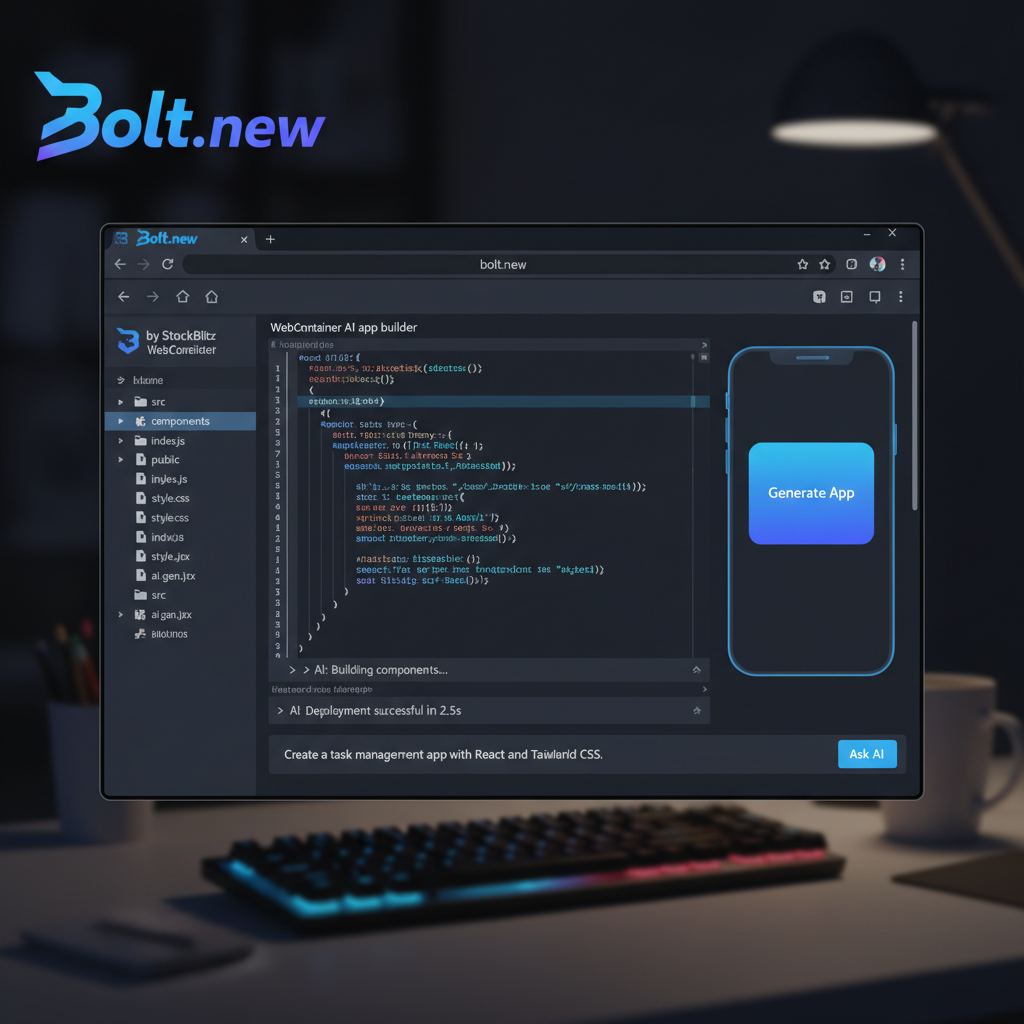
According to Bolt’s official Help Center, the tool builds websites and apps — including marketing sites, dashboards, online stores, and internal tools — and also presentations under the name Bolt Slides Source: support.bolt.new. A templates marketplace is referenced for jump-starting projects Source: support.bolt.new.
A third-party review places Bolt “between no-code and AI coding editors,” noting that the output is an editable codebase that can be moved to GitHub Source: omidsaffari.com. That matters for the “keep” criterion above: even if you leave Bolt, you leave with real code, not a locked box. The same review says Bolt is strongest for prototypes, internal tools, and scoped web products Source: omidsaffari.com.
That positioning is honest about scope: Bolt aims at something working quickly, not a production-hardened system without human review.
The end-to-end pipeline on paper
Here’s where Bolt claims the workflow finishes on its own. Per the official pricing page and Help Center, the documented pipeline is:
- Build in Bolt’s editor from a prompt.
- Test each layer before moving on (more on this below).
- Deploy to the web.
- Host the site, with databases included.
- On Pro, add a custom domain and remove Bolt branding.
The Free plan lists unlimited databases and website hosting as included Source: bolt.new/pricing. Pro adds the go-live niceties: custom domain, no Bolt branding, expanded database capacity, choice of database provider, connectors and MCPs, and an SEO boost Source: bolt.new/pricing. Email support comes with paid plans; Free plan users get the Discord community Source: support.bolt.new.
So on paper, the full path from “I have an idea” to “my app is live on my own domain” exists inside Bolt — at least if you pay for Pro. The pipeline is designed to finish.
What Bolt’s own docs admit
Bolt’s official guidance is quietly revealing: “Build one step at a time — finish and test each layer of your project before you start the next.” A feature called Plan Mode lets you reason through a build before any code changes happen Source: support.bolt.new.
Why this matters: if a tool expected one-shot, unattended builds to reliably finish, it would not need to tell you to stop and test between every layer. This guidance implies that iteration is the expected mode of working, not a workaround for a broken tool. The docs are essentially saying: prompt, check the layer, fix what’s off, then move on. That’s a manual fallback baked into the recommended workflow.
There’s also a token-efficiency note on the pricing page that’s relevant to “finishing”: “most token usage is related to syncing your project’s file system to the AI: the larger the project, the more tokens used per message” Source: bolt.new/pricing. In plain terms, as your app grows, every prompt gets more expensive — which makes repeated fix-up cycles costlier. That raises the stakes on getting each layer right the first time, which in turn raises the stakes on human review.
What users report about the output
Because we did not run Bolt ourselves, the evidence about what actually happens to Bolt’s output comes from third-party reports — and they should be read with source bias in mind.
A review by Omid Saffari (Verified August 2026) describes Bolt as producing an editable codebase movable to GitHub, and frames it as best for prototypes and scoped web products Source: omidsaffari.com. It also notes that v1 Agent and Discussion Mode were retired on August 3, 2026, with projects moved to Bolt Agent and voice dictation added Source: omidsaffari.com. Those are reported release details, not something we can confirm from the dossier.
A review on gigamind.dev is written by a competitor (Giga Create), so it should be weighted accordingly. It reports a user spending 150,000 tokens on an initial prompt plus three follow-ups, and another reportedly spending 7–12 million tokens fixing authentication errors, with the AI “looping on its own fixes” Source: gigamind.dev. That same page lists pricing figures ($20/month, 10M tokens, 150K free tokens) that conflict with Bolt’s official pricing page ($25/month Pro, 1M free tokens) Source: bolt.new/pricing — we use the official figures, not the competitor’s.
A sponsored repair guide on vibecoding.app lists common failure categories in Bolt-generated apps: infinite loops from bad useEffect dependencies, failed deployments from missing env vars and type errors, database connection/index issues, slow performance without pagination, and missing auth checks with exposed keys Source: vibecoding.app. It estimates “2 to 3 hours” to self-repair common issues Source: vibecoding.app. That page is sponsored, and its frequency labels are its own judgment, not measured data. We also did not use the secondhand audit figures it cites (an r/VibeCodeDevs scan of 200+ sites averaging 52/100, and a 69-vulnerability audit across 15 AI-built apps) — those are too far removed to treat as stats here.
The pattern across these reports is consistent: Bolt produces something runnable, but it typically needs editing before it’s production-ready.
Where you’ll likely need to step in (manual fallback map)
Synthesizing Bolt’s own “test each layer” guidance with the reported failure categories, here is a beginner-friendly map of where manual fallback tends to show up — framed as reported risk areas, not measured rates:
- Testing each layer yourself. Bolt’s docs tell you to finish and test each layer before moving on Source: support.bolt.new. That’s a manual step by design.
- Authentication and auth checks. Reported as a frequent breakage point, with exposed keys and missing checks called out Source: vibecoding.app; a competitor review reports users burning millions of tokens chasing auth errors Source: gigamind.dev.
- Environment variables and type errors. Reported as causes of failed deployments Source: vibecoding.app.
- Infinite loops in
useEffect. Reported as a common code-level issue requiring a human to untangle Source: vibecoding.app. - Database connections and indexes. Reported as a recurring category of post-build fixes Source: vibecoding.app.
- Performance and pagination. Reported as missing in generated apps, leading to slow pages Source: vibecoding.app.
None of this is measured here — these are reported tendencies, and the self-repair estimate (2–3 hours) is the sponsored page author’s own judgment Source: vibecoding.app. But the convergence across independent(ish) sources is enough to say: expect to edit the output before it’s production-ready.
Pricing: what finishing costs
The table below is built exclusively from Bolt’s official pricing page Source: bolt.new/pricing. We did not use the competitor review’s conflicting figures ($20/month, 10M tokens, 150K free) Source: gigamind.dev.
| Plan | Price | AI tokens/month | Daily token cap | Deploy & hosting | Key go-live features | Support |
|---|---|---|---|---|---|---|
| Free | $0/month, no card | 1M | 300K | Listed as included (unlimited databases & hosting) | Bolt branding on sites; no custom domains | Discord community |
| Pro | $25/month (monthly); yearly saves up to 28% | Starts at 10M, rolls over | None | Included | Custom domain, no Bolt branding, expanded DB capacity, choice of DB provider, connectors/MCPs, SEO boost | Email (Mon–Fri business hours) |
| Teams | $30/month per member | Shared capacity | None | Included | Private NPM registry support | Priority support |
| Enterprise | Custom annual contract | Custom | None | Included | SOC 2 Type II, SSO, data governance, dedicated infrastructure | 24/7 priority support |
A few notes that matter for “finishing the job”:
- The Free plan’s 300K daily token cap Source: bolt.new/pricing is a real ceiling. Because most token usage comes from syncing your project’s file system to the AI Source: bolt.new/pricing, larger apps burn through that budget faster — and Free users can’t add more capacity.
- “Unlimited databases and website hosting” on Free are listed as included, but the pricing page does not establish whether “unlimited” has usage caps Source: bolt.new/pricing. We won’t claim they’re truly unlimited.
- Pro’s token rollover and lack of a daily cap Source: bolt.new/pricing make it the realistic floor for finishing an app without hitting walls.
- Support is the free tier’s weakest link: Discord-only, with no guaranteed response time. Paid tiers get email support during business hours Source: support.bolt.new.
Does it finish the job? The verdict logic
Walking the evidence back through the “finish the job” bar:
- Build: Bolt generates a working app from a prompt. ✅ On paper.
- Test: Bolt’s own docs tell you to finish and test each layer before moving on Source: support.bolt.new. That’s a manual checkpoint, not an automatic pass. ⚠️
- Deploy: The pipeline includes deploy and hosting, with custom domains and no branding on Pro Source: bolt.new/pricing. ✅ On paper.
- Keep: Output is an editable codebase exportable to GitHub Source: omidsaffari.com. ✅ On paper.
The gap is between “on paper” and “in practice.” The workflow is designed to finish end-to-end, but Bolt’s recommended practice is iterative — test each layer, then move on — and third-party reports describe routine post-build work around auth, loops, env vars, and performance Source: gigamind.dev, Source: vibecoding.app. No controlled completion-rate data exists in these sources, so we cannot claim it finishes reliably; we can only say the pipeline is designed to finish but is reported to need iteration.
Verdict: Finishes the workflow, but rarely the first draft of the app. You can build, deploy, and host within Bolt — especially on Pro — and walk away with real, editable code. But the recommended workflow assumes you’ll review and test each layer, and reported failure categories mean you’ll likely edit the output before it’s production-ready. This is a documentation-based judgment, not a hands-on test.
How this guide was built (E-E-A-T)
This review is based on official documentation, pricing pages, and community reports — we did not run the tool hands-on.
Method: We reviewed Bolt’s official pricing page and Help Center for what the tool claims to do and how the pipeline is designed to work Source: bolt.new/pricing, Source: support.bolt.new. We read third-party reviews and a repair guide to understand reported outcomes. We weighted sources by reliability:
- Official sources (pricing page, Help Center) are treated as the authoritative baseline for features, limits, and pricing.
- S4 (Omid Saffari) is an independent review, dated August 2026; its claims are marked as reported.
- S5 (gigamind.dev) is written by a competitor (Giga Create) and is down-weighted accordingly; its pricing figures conflict with the official page, so we used official figures only.
- S6 (vibecoding.app) is a sponsored repair guide; its frequency labels and time estimates are its own judgment, not measured data, and its cited secondhand audit stats were not used.
All sources were fetched on 2026-10-29. Where the evidence does not establish something, we say so plainly instead of speculating.
How this was assessed
1. What we examined
- Bolt’s official pricing page, for plans, token limits, and go-live features Source: bolt.new/pricing
- Bolt’s official Help Center, for scope, QuickStart, Plan Mode, token efficiency, and support channels Source: support.bolt.new
- Bolt’s official blog index, for the existence of recent posts (not used for specific claims) Source: bolt.new/blog
- A third-party review by Omid Saffari (Verified August 2026) Source: omidsaffari.com
- A competitor review on gigamind.dev Source: gigamind.dev
- A sponsored repair guide on vibecoding.app Source: vibecoding.app
2. What we did NOT run
We did not run Bolt hands-on. Specifically, we did not exercise any end-to-end behaviors: no build from a prompt, no layer-by-layer testing, no deployment, no hosting, no token measurement, and no code export. We did not measure first-draft deploy success, token burn per finished app, or reproduce the auth/deploy failures described in third-party reports. Every experiential claim in this post is attributed to a third party as “reported.”
3. What would change the verdict
The verdict would change if any of the following evidence appeared:
- An actual end-to-end build test measuring how often a first-draft Bolt app deploys successfully and stays stable across common flows (auth, env vars, pagination).
- Controlled token-burn-per-app data showing average tokens consumed from first prompt to a production-ready deploy, and how often follow-up fixes exceed the Free plan’s 300K daily cap Source: bolt.new/pricing.
- Reproduction of auth/deploy failures at scale — not single-user anecdotes — to establish whether the reported breakage is a frequent outcome or an edge case.
- Clarification from Bolt on whether “unlimited databases and hosting” on the Free plan has usage caps Source: bolt.new/pricing, and what the real deploy/hosting limits are for paid tiers.
Until such evidence exists in these sources, the honest position is: the workflow is designed to finish end-to-end, but the output is reported to need editing, and success depends on iterative prompting.
FAQ
Do I need to edit Bolt’s code before it’s production-ready? Based on reported patterns, likely yes. A competitor review reports users burning tokens chasing authentication errors Source: gigamind.dev, and a sponsored repair guide lists common post-build fixes: useEffect infinite loops, missing env vars, missing auth checks, and exposed keys Source: vibecoding.app.
Can Bolt deploy and host my app? Per the pricing page and Help Center, yes — deploy and hosting are part of the documented pipeline, with custom domains and no Bolt branding on Pro Source: bolt.new/pricing, Source: support.bolt.new.
Is the free plan enough to finish an app? It’s enough to build and host on paper — Free lists unlimited databases and website hosting as included Source: bolt.new/pricing. But the 300K daily token cap Source: bolt.new/pricing and Discord-only support Source: support.bolt.new make it a risky floor for anything beyond a small prototype.
What happens when I hit the token limits? The pricing page notes that most token usage comes from syncing your project’s file system to the AI, so larger projects burn more tokens per message Source: bolt.new/pricing. On Free, the 300K daily cap Source: bolt.new/pricing is a hard ceiling; Pro removes the daily cap and starts at 10M tokens/month with rollover Source: bolt.new/pricing.
Can I export my code? A third-party review reports that Bolt’s output is an editable codebase movable to GitHub Source: omidsaffari.com. We did not verify the export flow hands-on.
Is this review based on hands-on testing? No. This review is based on official documentation, pricing pages, and community reports — we did not run the tool hands-on. The X/10 scores are a documentation-based assessment, not a hands-on test.
Are the competitor and sponsored sources reliable? We down-weighted them. The gigamind.dev review is written by a competitor (Giga Create) and includes pricing figures that conflict with Bolt’s official page Source: gigamind.dev; we used official pricing only Source: bolt.new/pricing. The vibecoding.app page is sponsored; its frequency labels and “2 to 3 hours” repair estimate are its own judgment Source: vibecoding.app.
📖 Related Reads
- ToolBrain — tool reviews, LLM comparisons, and AI workflow guides
- NoCode Insider — AI workflow automation with no-code tools, agents, and APIs
Cross-links automatically generated from None.
Back to all posts