If you’ve ever wanted to build an AI that can answer the phone, take support calls, or speak to visitors on your website, you’ve probably run across Vapi. This guide is written for complete beginners — no assumed knowledge of speech recognition, language models, or telephony. We’ll explain the concepts first, then walk you through making your first call, and finish with a clear-eyed look at what it all costs.
What is a voice AI agent?
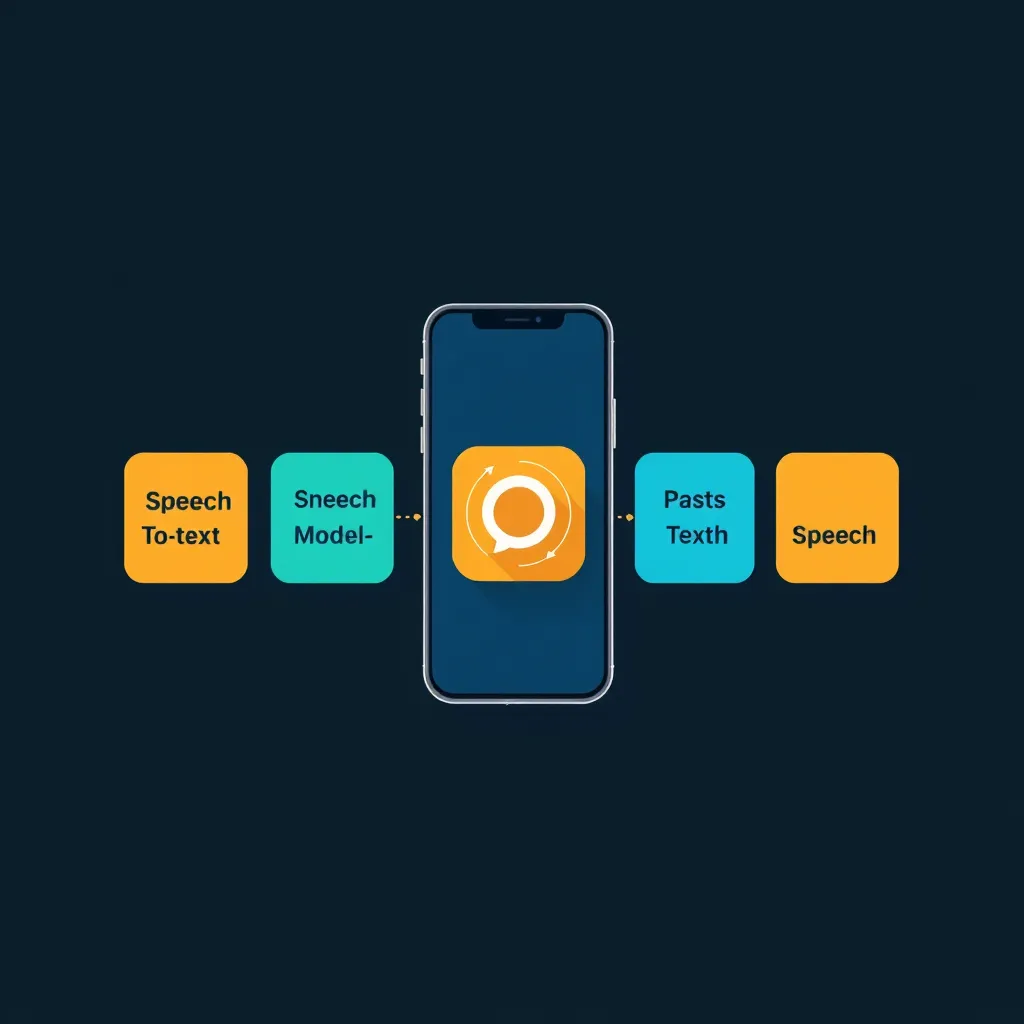
A voice AI agent is software that can hold a spoken conversation with a person — answering questions, collecting information, or completing tasks — over a phone line or a web call. Under the hood, every voice agent combines three core technologies:
- Speech-to-Text (STT): Converts user speech into text that your agent can understand. In plain terms, it’s the “ears” of the system.
- Large Language Model (LLM): Processes the conversation and generates intelligent responses. This is the “brain.”
- Text-to-Speech (TTS): Converts your agent’s responses back into natural speech. This is the “voice.”
These three layers don’t come from Vapi itself — they come from specialist AI providers. According to Vapi’s introduction docs, the providers you can plug in include “OpenAI, Anthropic, Google, Gladia, Deepgram, ElevenLabs, and many, many more.”
That raises an obvious question: if the ears, brain, and voice all come from other companies, what does Vapi actually do? Let’s answer that next.
What Vapi does (and where it sits in the stack)
Vapi sits on top of those providers and stitches them together. In the docs’ own words: “Vapi is the developer platform for building voice AI agents. We handle the complex infrastructure so you can focus on creating great voice experiences.”
Think of it this way: instead of wiring a transcription service, a language model, and a voice service together yourself — plus handling phone lines, real-time audio streaming, and call state — you configure one assistant on Vapi and it orchestrates everything in real time.
The capabilities Vapi lists are:
- Real-time conversations: Sub-600ms response times with natural turn-taking (this is Vapi’s own stated claim, not an independently verified figure)
- Phone integration: Make and receive calls on any phone number
- Web integration: Embed voice calls directly in your applications
- Tool integration: Connect to your APIs, databases, and existing systems
- Multi-assistant orchestration (Squads): Compose specialized assistants with seamless transfers
Vapi has two main primitives: Assistants (“Best for: Most use cases and fast iteration”) and Squads (“Best for: Multi-assistant setups with specialization”).
To speed up setup, Vapi offers “Model Intelligence presets” that “bundle a transcriber, model, and voice tuned for common use cases, so you can configure your assistant in one click.” And the path to production is laid out in four steps: Build (“Start from a template and choose a model preset”), Publish (“Publish a version, and restore an earlier one if you need to”), Test (“Test your setup with Simulations before customers call”), and Monitor (“Review calls and get alerts when quality drops”).
For developers, Vapi also supports config as code (GitOps) — “Keep assistants, squads, tools and tests as files in git” — and offers a CLI you can install with:
curl -sSL https://vapi.ai/install.sh | bashVapi pricing explained in plain terms
Here’s the pricing model in one sentence: Vapi charges you a hosting fee for running the call, the AI model costs pass through at the provider’s own rates with no markup, and phone transport is charged by the provider you choose.
With that in mind, here are Vapi’s four success packages, as listed on Vapi’s pricing page:
| Plan | Price | Billing note | Models | Description |
|---|---|---|---|---|
| No Success Package | $0 to start | Pre-paid, $0.05/min Vapi hosting | Models pass-through at cost | ”Get started for free, and then pay only for the minutes that run” |
| Core | $29 / month | Pre-paid, auto-renew | Models pass-through at cost | ”For builders & early teams” |
| Pro | 10% of hosting fee / $999/mo min | ”10% of Vapi hosting fee / $999/mo minimum” | Models pass-through at cost | ”For scaling teams in production” |
| Premier | Custom | Direct sales only | Models pass-through at cost | ”For sophisticated orgs scaling voice agents, with packages to fit your needs” |
The free tier isn’t a trial in the usual sense — it’s a working plan. You get $5 free credits, 1 included Vapi phone number, 4 concurrent calls, 14 days of raw data retention, and peer-to-peer support via the Discord community.
“Included with every plan,” per Vapi: “Unlimited agents”, “Pay only for the minutes you consume”, “Models — Provider costs with no markup”, “Critical monitoring”, “Testing & simulation”, “A fully managed platform”, and “Control”. ZDR (zero data retention) is “Included with the addition of any success package.”
One important nuance: phone transport is billed separately. Vapi’s pricing page labels these “Network and data transport services (Charged by provider, not Vapi)“:
| Transport | Price |
|---|---|
| Vapi Telephony / SIP | Free |
| Vapi WebSockets | Free |
| Daily WebRTC | Free |
| Twilio Inbound | $0.008 / min |
| Twilio Outbound | $0.014 / min |
| Vonage | $0.00814 / min |
| Telnyx | $0.0055 / min |
Note on Twilio rates: the $0.008/min inbound figure is the value printed on Vapi’s pricing page. Twilio’s own published rate for receiving local calls is $0.0085/min, as listed on Twilio’s voice pricing page; treat Vapi’s number as its rounded display value. Outbound is $0.0140/min on both pages.
There are also add-ons available at any package: HIPAA compliance at $2,000/month, additional concurrency at $10/line/month, and additional organizations at $20/organization/month.
Finally, the per-minute component rates shown on Vapi’s pricing estimator (at a default of 1,000 min/mo) are provider rates, not Vapi’s: a Deepgram transcriber at $0.0095–$0.0099/min, an OpenAI intelligence model at $0.0077–$0.0452/min, and an ElevenLabs voice at $0.0146–$0.0238/min. We’ll turn those into real numbers shortly.
Getting started with Vapi, step by step
Vapi’s phone quickstart promises: “In under 5 minutes, you’ll create a voice assistant, give it a free phone number, and call it.” Here’s how, following the phone quickstart docs.
Prerequisites: a Vapi account — you can sign in at the Vapi dashboard. If you want to use the SDKs later, you’ll also need a Vapi API key from the Dashboard.
The phone path
- Open Assistants in the dashboard.
- Create an assistant from a template — choose Customer Support. (Vapi offers four templates: Customer Support with assistant Alex on the Balanced preset, Lead Qualification with Morgan on High Intelligence, Appointment Scheduler with Riley on Ultra Fast, and Info Collector with Jamie on Balanced. New assistants you create from scratch use the Balanced preset.)
- Customize your assistant (optional) — you can leave it as-is for a first test.
- Publish the assistant. Note the publishing behavior: “Publishing creates a new assistant version. Until you publish, your changes are saved as a draft and don’t affect calls.”
- Test the assistant — select Talk to start a web call right in your browser.
To give your assistant a free phone number, enter a three-digit US area code in Area code, then select Create. Your first free Vapi number doesn’t require a payment method, though you may be asked to add one when requesting more numbers, and it can take a few minutes for the number to become active. One key limitation: with free Vapi numbers, only inbound calls are supported — to make outbound calls, you’ll need to import a number from Twilio, Telnyx, or DIDWW.
To route inbound calls, under Inbound Settings, choose an Assistant or Squad to handle incoming calls, then select Save. To test outbound calling with an imported number, choose Single Number, enter your phone number, and choose an Assistant; then select Call to start the call immediately, or select Schedule Call to place it later.
If you’d rather start from a blank assistant, the assistants quickstart shows two setup steps: Choose a model preset, then Write the conversation by adding a First Message and a System Prompt. An example first message is “Hello! Thanks for calling. How can I help you today?” — and the system prompt editor uses labeled sections like [Identity], [Response guidelines], [Guardrails], and [Workflow]. There’s also AI-assisted editing: select Generate in the System Prompt section, describe the changes you want, then select Submit edit, review the proposed edits, and select Accept changes.
After any test call, open Calls under Logs in the Dashboard to review the transcript, recording, and how the call ended.
The web path
If you want voice in a website or app instead of over the phone, the web quickstart describes two approaches: Client-Side Voice Interfaces (“Best for: User-facing applications, voice widgets, mobile apps”) and Server-Side Call Management (“Best for: Backend automation, bulk operations, system integrations”).
For the client-side route, install the Web SDK:
npm install @vapi-ai/webThen initialize and start a call:
const vapi = new Vapi('YOUR_PUBLIC_API_KEY');
vapi.start('YOUR_ASSISTANT_ID');
The Web SDK accepts a public API key or a short-lived public JWT that your server signs. If you’d rather not write code at all, Vapi offers a drop-in widget script loaded from https://cdn.jsdelivr.net/gh/VapiAI/html-script-tag@latest/dist/assets/index.js. For backend work, there’s a server SDK: npm install @vapi-ai/server-sdk.
What a call actually costs: a worked example
Let’s make the pricing concrete. Assumptions: a 5-minute call, on the No Success Package, using a Deepgram transcriber, an OpenAI model, an ElevenLabs voice, and Vapi Telephony/SIP transport (Free). All rates below are the provider rates displayed on Vapi’s pricing page.
Per-minute stack:
- Vapi hosting: $0.05
- Deepgram transcriber: $0.0095–$0.0099
- OpenAI model: $0.0077–$0.0452
- ElevenLabs voice: $0.0146–$0.0238
Total: $0.0818–$0.1289 per minute.
For a 5-minute call: $0.0818 × 5 = ≈ $0.41 at the low end, and $0.1289 × 5 = ≈ $0.64 at the high end. So a five-minute call costs roughly 41 to 64 cents with this configuration.
A monthly sanity check: Vapi’s own estimator, at its default of 1,000 minutes per month on the No Success Package, prints $50 hosting + $10 transcriber + $8–$45 model + $15–$24 voice + $0 transport + $0 package = $82–$129/mo. That’s consistent with our per-minute math.
Optional variant: if you import a Twilio number for outbound calls, add $0.014/min outbound (or $0.008/min inbound) — charged by provider, not Vapi.
One caution: Deepgram and ElevenLabs advertise free credits on their own websites, but nothing in the sources we reviewed establishes that those credits apply to calls routed through Vapi, so don’t count on them in your budget.
Common beginner mistakes
Each of these maps to a documented behavior, so you can avoid predictable rework:
- Editing a draft and never publishing. Until you publish, “your changes are saved as a draft and don’t affect calls.” If your assistant seems to ignore your edits, check whether you published.
- Expecting outbound calls on a free Vapi number. Free numbers are inbound-only; outbound requires importing a number from Twilio, Telnyx, or DIDWW.
- Reading “$0.05/min” as the total price. That’s hosting only — models pass through at provider cost, and Vapi’s own 1,000-minutes-per-month estimate lands at $82–$129.
- Forgetting transport fees when importing numbers. Vapi Telephony/SIP, WebSockets, and Daily WebRTC are free, but Twilio ($0.008 in / $0.014 out per min), Vonage ($0.00814/min), and Telnyx ($0.0055/min) charge per minute.
- Skipping Simulations. The docs are explicit: “Test your setup with Simulations before customers call.”
- Overlooking tier limits. At $0 you get 4 concurrent calls and 14 days of raw data retention, versus 10/30 days on Core and 30/180 days on Pro.
- Not reviewing calls after tests. Calls under Logs shows the transcript, recording, and how the call ended — it’s the fastest way to debug a conversation.
Vapi vs the providers underneath it
A fair note upfront: the sources we reviewed don’t include a like-for-like comparison against competing agent platforms, so we won’t invent one. What we can do honestly is map who charges for what in a single Vapi call:
| Layer | Provider | Cost shown in sources | Where the figure is from |
|---|---|---|---|
| Orchestration & hosting | Vapi | $0.05/min hosting (No Success Package); packages at $0 / $29 / $999-min / custom | Vapi’s pricing page |
| Speech-to-text | Deepgram | Nova-3 Monolingual at $0.0077/min pay-as-you-go ($0.0065/min Growth) on Deepgram’s own pricing page; shown at $0.0095–$0.0099/min on Vapi’s estimator | Deepgram and Vapi’s pricing page |
| Language model | OpenAI | $0.0077–$0.0452/min as listed on Vapi’s estimator | Vapi’s pricing page |
| Voice (TTS) | ElevenLabs | $0.0146–$0.0238/min on Vapi’s estimator; ElevenLabs’ own plans run Free $0 (10,000 credits) through Business $990 (6,000,000 credits), with TTS at 1 credit per character and Business offering “Low-latency TTS as low as 5c/minute” | ElevenLabs pricing and Vapi’s pricing page |
| Phone transport | Twilio / Vonage / Telnyx / Vapi | Vapi Telephony/SIP, WebSockets, Daily WebRTC: Free; Twilio $0.008 in / $0.014 out; Vonage $0.00814; Telnyx $0.0055 — “Charged by provider, not Vapi” | Vapi’s pricing page |
For context, it’s worth knowing that some providers sell bundled agent APIs directly. Deepgram’s Voice Agent Standard is $0.075/min pay-as-you-go ($0.068 on Growth), covering speech-to-text, a managed language model, and text-to-speech in one rate — a different shape of product from Vapi’s bring-your-own-providers model, and one more data point as you compare costs.
FAQ
Is Vapi free to start? Yes — the No Success Package is “$0 to start” with $5 free credits, and your first free Vapi number doesn’t require a payment method. You pay per minute of usage beyond that.
Can a free number make outbound calls? No. Free Vapi numbers support inbound calls only; to make outbound calls, import a number from Twilio, Telnyx, or DIDWW.
Does the $0.05/min include the AI models? No. Models “pass-through at cost,” and transport is “Charged by provider, not Vapi.” The $0.05 is Vapi’s hosting fee alone.
Assistant vs Squad — which do I need? Per the docs, Assistants are “Best for: Most use cases and fast iteration,” while Squads are “Best for: Multi-assistant setups with specialization.”
What’s a model preset? A one-click bundle of a transcriber, model, and voice tuned for common use cases. New blank assistants default to the Balanced preset.
Can I add voice to my website? Yes — via the Web SDK (using a public API key or a short-lived public JWT that your server signs) or the drop-in widget script.
Where do I review a call? Open Calls under Logs in the Dashboard to see the transcript, recording, and how the call ended.
What about HIPAA? Vapi offers a HIPAA compliance add-on at $2,000/month. Separately, Deepgram lists itself as HIPAA Compliant with a BAA on Enterprise, and ElevenLabs offers BAAs for HIPAA customers on Enterprise. This isn’t legal advice — verify compliance requirements for your specific use.
Where do I get help? At the free tier, support is peer-to-peer via Vapi’s Discord community, plus email support without an SLA. Response SLAs start with Core ($29/mo, 2 business days) and improve with higher packages. As for free phone numbers outside the US, the docs we reviewed only describe “a three-digit US area code” — they don’t state whether non-US free numbers are available.
The Bottom Line
Verdict: 8/10.
Vapi is a strong fit for beginners who want a working phone or web voice agent fast and who accept that usage-based costs are spread across several providers. The dossier-backed strengths are real: $0 to start with $5 free credits, a first free phone number with no payment method, one-click model presets, quickstart paths for both phone and web, and models passed through at provider cost with no markup. The limits are equally real: your true cost is a stack across providers (roughly $0.41–$0.64 for our example 5-minute call, and $82–$129/mo at 1,000 minutes), support and SLAs jump sharply from Core at $29/mo to Pro’s $999/mo minimum, the free tier caps you at 4 concurrent calls with 14-day retention, and outbound calling requires importing a number. For a beginner, that trade — speed and simplicity in exchange for a multi-line bill — is a good one, which is why this lands at 8/10 rather than higher.
How this guide was built
This guide is based on Vapi’s official documentation and pricing pages, plus the published pricing pages of Deepgram and ElevenLabs — all linked inline above. The author did not run Vapi hands-on for this guide; every figure quoted appears on a linked official page at the time of writing. ToolBrain is vendor-neutral, and this guide draws praise and criticism only from those published sources. Where a question couldn’t be answered from the sources — such as non-US free numbers or per-plan comparisons against competing platforms — we’ve said so rather than guess.
📖 Related Reads
- NiteAgent — AI agent development, frameworks, and production patterns
Cross-links automatically generated from None.
Back to all posts