Build Your Own AI Agent — Curated Directory
The best "from scratch" tutorials for building AI agents, MCP servers, tool-calling systems, and more. No frameworks, no black boxes—just code.
New to the space? Our comparison database benchmarks 112 AI tools side by side, so you can see the differences at a glance.
Inspired by build-your-own-x (335K ★ on GitHub). This page curates the best step-by-step guides for building AI agent technologies from first principles.
What I cannot create, I do not understand. — Richard Feynman
Build Your Own AI Agent (ReAct Loop)
- Python: Building Production ReAct Agents From Scratch Is Simple — Build a production-grade ReAct agent with structured outputs, memory, and tool execution. Goes from zero to deployed.
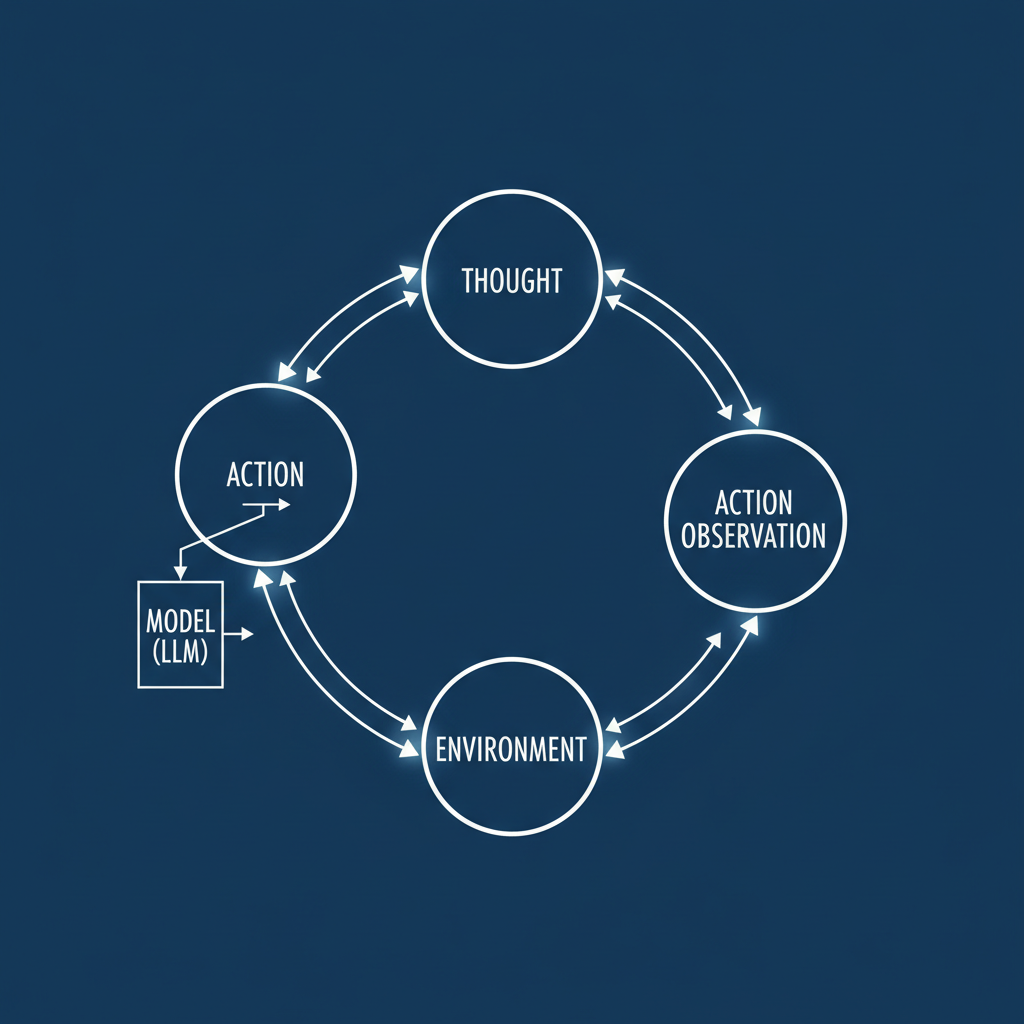
- Python: Building an AI Agent from Scratch in Python — Minimal agent using just an LLM API. No frameworks. Understand the Thought→Action→Observation loop.
- Python: Build AI Agents From Scratch with Python — Full course repo: ReAct prompting, tool use, memory, multi-step reasoning. Code-first learning path.
- Python/Gemini: Build Your First Agentic AI from Scratch in Minutes — Covers reasoning loops, tool usage, memory, planning, reflection, and multi-agent concepts.
Build Your Own MCP Server
- Python: The Ultimate Guide to MCP, Part 4: Build Your Own MCP Server — From zero to a working MCP server in under 30 minutes. Tools, resources, prompts all covered.
- Python: MCP Server Tutorial: Build Your First Model Context Protocol Server — Understand MCP, set up tools and resources, connect to Claude.
- Python: How to Build Your Own MCP Server with Python — Build bridges between your systems and intelligent models with just a few lines of Python.
- JavaScript: How to Build Your Own MCP Server — Create a CSS tutor MCP server with tools, resources, and prompts for AI assistants.
Build Your Own Tool-Calling System
- Python: Mastering LLM Tool Calling: The Complete Framework — Three-pillar framework covering data access, computation, and actions tools for production agents.
- Python: Build Your Own Code Interpreter — Dynamic Tool Generation with o3-mini — OpenAI's official cookbook on building secure, dynamic tool execution for LLM agents.
This category is the least saturated — most tutorials stop at simple function calling and never cover the production concerns. The two guides above are the strongest starting points, but here's what to look for when evaluating any tool-calling tutorial.
A good tool-calling system needs four layers: a schema that describes each tool's inputs and outputs, a loop that lets the model request a tool mid-generation, a sandbox that executes the call safely, and a result pipeline that feeds the output back into the conversation. The OpenAI cookbook example is particularly good at the sandbox layer — it builds a code interpreter that runs untrusted model-generated code inside a constrained environment instead of on the host. That distinction matters: a tool that can touch your filesystem is only as safe as the permissions you give it, and the tutorial shows how to scope those permissions down to a single workspace directory.
When you're comparing tutorials, check whether they cover error handling. Real tool calls fail — the API times out, the file doesn't exist, the schema mismatches. Agents that crash on the first failed call aren't production-ready, and the best tutorials walk through retry logic and graceful fallbacks rather than assuming every call succeeds.
Build Your Own RAG Pipeline
- Python: Build Your Own RAG in 10 Lines of Python — Toy implementation covering embedding, storage, retrieval, and LLM stitching. Foundation concepts only.
- Python: Build an LLM RAG Chatbot With LangChain — Uses LangChain + Neo4j for production RAG with synthetic data. Framework-based but thorough.
Build Your Own Agent Orchestrator
No dedicated "from scratch" tutorials found yet. Most existing content covers LangGraph, AWS, or vendor-specific orchestration. This is the biggest gap — an original tutorial is in development.
How to Contribute
Found a great "build from scratch" tutorial that belongs here? Submit a suggestion. Entries must be step-by-step guides that build something from first principles — no framework wrappers, no glue tutorials.
How to Choose Your First Build
If you're new to building agents from scratch, the RAG pipeline is the friendliest entry point. The OpenMined tutorial takes you from a blank file to a working retrieval system in a single sitting, and every concept it touches — embeddings, vector search, context stitching — reappears in every other project on this page. Once you understand why a model needs retrieved context injected into its prompt, the rest of the agent stack starts to make sense.
From there, move to the ReAct loop. The Decoding AI guide is the best second step because it forces you to think about structured outputs and state management rather than a toy loop. After you can build a model that decides what to do, you need a way to let it actually do things — which is where the tool-calling layer and an MCP server come in. A sensible progression is RAG first, then ReAct, then tool calling, then MCP, then orchestration.
Agent Orchestrators: The Remaining Gap
The orchestrator section above is intentionally thin, and that's a reflection of the ecosystem. Most orchestration content on the web is vendor-specific — LangGraph tutorials that assume you'll adopt LangChain's abstractions, or AWS guides tied to Bedrock's agent runtime. Genuine from-scratch orchestration, where you build the planner and the dispatch loop yourself, is rare outside of research code. If you're comfortable with the other five sections, that's the frontier worth exploring: a small orchestrator that routes subtasks between specialized agents will teach you more about system design than any framework tutorial.
Dig deeper: Claude Code review · GitHub Copilot review.
Back to all posts