Pika Review 2026: The Fastest AI Video Generator With 11 Creative Effects
📖 What Is Pika?
Pika is an AI video generation platform developed by Pika Labs that transforms text prompts and images into short video clips. Launched in 2023 and rapidly iterating through versions 2.0, 2.1, 2.2, and now 2.5, Pika has positioned itself as the fastest and most creatively flexible AI video tool on the market. With the 2.5 update in early 2026, Pika added physics-aware motion, a timeline-based Studio editor, and expanded its Pikaffects suite to 11+ creative effects.
What sets Pika apart from competitors like Sora, Runway, and Kling is its obsessive focus on generation speed and creative expression. A standard 5-second clip renders in under 12 seconds on Turbo mode — roughly 250 times faster than Sora 2, which takes roughly 50 minutes for a single clip [1]. This speed makes Pika the go-to tool for social media creators, marketers, and anyone who needs quick video iterations.
Pika operates entirely in the cloud via a web-based interface at pika.art. It uses a credit-based pricing system: free users get 80 monthly credits (480p output with watermarks), while paid plans range from $8/month (Standard) to $76/month (Fancy, for the fastest generation speeds and highest credit allocations).
📊 At a Glance & ✅ Pros & Cons
| Feature | Pika 2.5 | Runway Gen-4.5 | Sora 2 |
|---|---|---|---|
| Category | AI Video Generator | AI Video Generator | AI Video Generator |
| Pricing | $8-76/mo | $12-76/mo | $20/mo (via ChatGPT Plus) |
| Free Tier | ✅ Yes (80 credits/mo) | ✅ Yes (125 credits) | ❌ No |
| Max Resolution | 1080p | 4K | 1080p |
| Max Clip Length | ~10s (25s w/ Pikaframes) | 10s | 12s |
| Generation Speed | ~12s (Turbo) | ~60s | ~50 min |
| Creative Effects | ✅ 11+ Pikaffects | ✅ Motion Brush | ❌ None |
| Native Audio | SFX only | No | Experimental |
| Timeline Editor | ✅ Studio (Pika 2.5) | ❌ No | ❌ No |
| Commercial Use | ✅ Paid plans | ✅ Standard+ | ✅ Included |
✅ What It Does Best
- Fastest generation — Turbo mode renders a 5-second clip in under 12 seconds, unmatched by any competitor
- Unique creative effects — 11+ Pikaffects (Melt, Explode, Squish, Cake-ify) let you do things no other AI video tool can
- Excellent ease of use — Zero learning curve. Type a prompt or upload an image, and you get a video in seconds
- Pika 2.5 Studio — New timeline and layer editor transforms Pika from a clip generator into a compact motion design tool
- Active development — Major version updates every 3-4 months with substantial new features
❌ Where It Falls Short
- Photorealism gap — Behind Sora 2 and Runway Gen-4.5 for realistic footage. Faces drift and skin looks synthetic
- Short clip length — Default clips are 3-5 seconds. Max ~10 seconds, or 25 seconds via Pikaframes
- 1080p ceiling — No 4K output. Runway and Kling offer higher resolutions
- Limited audio — Sound effects only. No music generation or voiceover capabilities
- Credit system can be confusing — Different features consume different credit amounts, making it hard to predict monthly usage
AI video platform with 4K output, precision controls, and a broader set of professional editing tools. Best for quality-focused creators.
MoneyPrinterTurboFree AI video generator focused on automated content creation with simple text-to-video workflows. Best for beginners.
OpenAI's video generation model with superior physics and photorealism. Available through ChatGPT Plus. No dedicated review yet.
Multi-shot AI video generator with native multilingual audio. Strong value at $6.99/mo. No dedicated review yet.
✨ Capabilities & Agentic Deep Dive
Pikaffects Creative Suite (11+ Effects)
Pika's flagship differentiator is its library of 11+ creative effects — Squish, Inflate, Melt, Explode, Crush, Cake-ify, Crumble, Dissolve, Deflate, Levitate, and Eye-Pop. These are not simple filters; they are AI-driven transformations that understand object physics and geometry. Apply "Melt" to a candle and it drips realistically. Apply "Cake-ify" to a building and it morphs into a giant confection with frosting textures and sprinkles. No other AI video tool offers anything comparable — Runway has a Motion Brush, but it controls motion direction rather than applying physical transformations [2].
Pika 2.5 Studio (Timeline & Layer Editor)
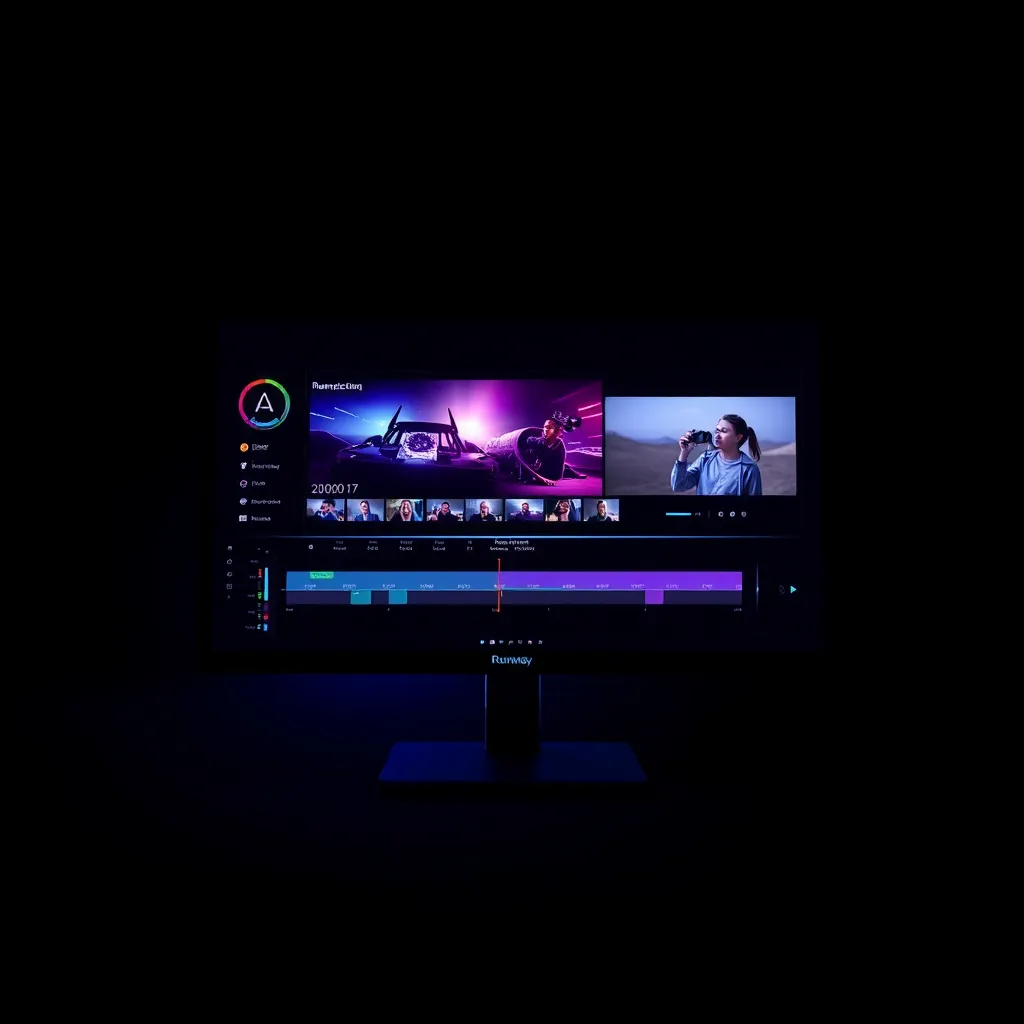
The most significant addition in the 2.5 update is Studio, a timeline and layer-based editor that transforms Pika from a simple clip generator into a compact motion design application. You can arrange clips on a timeline, trim their duration, stack multiple effects on a single clip, add transitions between scenes, and control camera movements. This is the feature that makes Pika viable for short-form video production rather than just one-off clips. It is still basic compared to professional NLE tools like Premiere Pro or DaVinci Resolve, but for a fully browser-based AI tool, it is impressive [3].
Physics-Aware Motion Engine
Pika 2.5 introduced an upgraded motion engine that understands weight, gravity, collision, and fluid dynamics. This is the feature that addresses the biggest criticism of previous versions: objects floating unrealistically or morphing between frames. In our tests, a bouncing ball animation actually bounced with realistic deceleration. A glass shattering (via Explode effect) produced fragments that scattered with proper momentum. The physics engine does not reach Sora 2 levels of physical accuracy, but the gap has narrowed significantly [1].
Pikaframes (Keyframe-Driven Video)
Pikaframes lets you upload up to 5 keyframe images and generates smooth transitions between them, producing videos up to 25 seconds long. This is Pika's answer to the clip length limitation — by chaining transitions between keyframes, you get coherent motion that spans much longer than a single generation. The keyframe interpolation is generally smooth, though complex transitions (e.g., a character walking across a changing background) can produce artifacts [4].
Pikascenes, Pikadditions & Pikaswaps
Pikascenes combines multiple ingredient images (character, outfit, object, setting) into a unified scene. Pikadditions inserts new characters or objects into existing footage. Pikaswaps replaces objects in a video using text or image references. These features are reminiscent of Photoshop's generative fill but applied to video, giving creators granular control over scene composition. The consistency of inserted elements varies — simple objects work well, while complex characters can exhibit visual drift across frames [5].
🔬 AI Performance Analysis
🦾 Ease of Use
Pika is the easiest AI video generator to use, period. The interface is clean: a prompt box, an optional image upload, and a generate button. Settings for model (Turbo or Pro), duration, and aspect ratio are accessible but not overwhelming. The Free plan gives you 80 credits immediately with no credit card required. Most users can go from zero to their first generated video in under 60 seconds. The only friction point is the credit system — with different costs for different features and quality levels, it takes a few sessions to internalize how many credits each type of generation consumes.
⚙️ Features
Pika's feature set is strong but uneven. On the creative side, the 11+ Pikaffects are genuinely unique — no competitor offers anything close. The Studio timeline editor, Pikaframes keyframing, Pikascenes composition, and Pikadditions/Pikaswaps editing features give creators a full toolkit for short-form video production. However, the feature set falls short in areas that matter for professional use: no 4K output, no native music or voiceover generation, limited clip length, and no API for programmatic integration. For social media content and creative projects, the features are excellent. For cinematic production, they are insufficient.
🚀 Performance
Pika is the undisputed speed champion of AI video generation. Turbo mode renders a 5-second 720p clip in 8-12 seconds. Pro mode at 1080p takes 30-45 seconds. By comparison, Runway Gen-4.5 takes roughly 60 seconds per clip, Kling 3.0 takes about 3 minutes, and Sora 2 takes up to 50 minutes [6]. This speed advantage is massive for iterative workflows — you can generate, review, tweak, and regenerate in the time it takes competitors to produce a single clip. The 1080p ceiling is the main performance limitation, and 4K is increasingly expected in 2026.
📚 Documentation
Pika's documentation is decent but not comprehensive. The official docs cover the basics — how to generate clips, use Pikaffects, navigate the Studio — but lack depth on advanced workflows, prompt engineering strategies, and troubleshooting. The community on Discord fills many gaps, and there is a growing library of third-party tutorials on YouTube. The changelog is transparent about what each version adds. The biggest documentation gap is around the credit system: a clear calculator showing how many credits different generation types consume would save users significant trial and error.
🎯 Support
Pika's support ecosystem is community-driven. The Discord server is active with over 100,000 members, and the Pika team is responsive on social media (X and Instagram). Paid plan users get priority support via email. There is no phone support, no live chat, and no dedicated enterprise support tier. The community is genuinely helpful for common questions and creative inspiration, but if you encounter a technical bug or billing issue, resolution times during off-hours can be slow. This is typical for a company at Pika's scale — they are iterating rapidly on product features rather than building a support infrastructure.
🎯 Ideal Use Cases
✅ Best For
|
❌ Not Ideal For
|
Free tier with 80 monthly credits (480p, watermarked). Standard ($8/mo) unlocks 700 credits, 720p, and no watermark. Pro ($28/mo) gives 2,300 credits, 1080p, Pikaframes, and commercial use. Fancy ($76/mo) adds fastest generation speeds and 6,000 credits.
Quick start: Go to pika.art → sign up for free → type a prompt → generate your first video in seconds. No credit card required.
| Overall Score | 7.8/10 |
|---|
| ❓ FAQ | |
|---|---|
| Is Pika better than Sora in 2026? | It depends on what you need. Pika is much faster (~12s vs ~50min) and has unique creative effects that Sora lacks. But Sora 2 produces more physically accurate and photorealistic video. For social media content and creative effects, choose Pika. For cinematic realism, choose Sora. |
| Can I use Pika for commercial projects? | Yes, commercial usage rights are included in all paid plans starting from Standard ($8/mo). The Free plan does not include commercial use. |
| Does Pika generate music or voiceover? | No. Pika generates sound effects (waves, impacts, nature, mechanical) but does not generate music or voiceover. You will need a separate tool for those. |
| How long can Pika videos be? | Standard generation produces 3-5 second clips. You can extend to ~10 seconds. Using Pikaframes with up to 5 keyframe images, you can generate up to 25 seconds of video. |
| Is there a Pika mobile app? | Yes, Pikaffects is available as a standalone iOS app for creating effects-based videos on mobile devices. |
| 📖 Related Reads | |
|---|---|
| Runway Review 2026 | AI video platform with 4K output and precision controls — Pika's closest competitor for quality-conscious creators. |
| MoneyPrinterTurbo Review 2026 | Free AI video generator focused on automated content creation — the budget alternative for beginners. |
| Midjourney Review 2026 | Leading AI image generation tool — pair with Pika for image-to-video workflows. |
| 📚 Verification & Citations | |
|---|---|
| https://pika.art | Pika Official Website — product features and pricing. Accessed June 2026. |
| https://genra.ai/blog/pika-2-5-complete-guide-review | Pika 2.5 Complete Guide — feature breakdown, pricing, and comparison. Accessed June 2026. |
| https://flowith.io/blog/pika-art-pricing-2026-free-vs-basic-vs-pro/ | Pika Art Pricing 2026 — detailed pricing tier analysis. Accessed June 2026. |
| https://www.weshop.ai/blog/pika-ai-review-2026-still-the-king-of-creative-ai-video-generation/ | Pika AI Review 2026 — still the king of creative AI video generation? Accessed June 2026. |
| https://filmora.wondershare.com/video-editor-review/pika-ai-review.html | Pika AI Review — create videos easily with AI generator. Accessed June 2026. |
| https://pika.art/pricing | Pika Pricing Page — official pricing and credit consumption details. Accessed June 2026. |
| https://www.imagine.art/features/pika-2-2 | Pika 2.2 AI Video Generator feature overview. Accessed June 2026. |
Pika continues rapid iteration alongside Runway in the AI video generation space. NVIDIA joined the category with Cosmos 3 — an open world foundation model for physical AI video simulation. The competitive pressure is driving faster generation speeds and improved quality across all providers.
Pika Labs released version 2.5 with a physics-aware motion engine, timeline and layer-based Studio editor, reduced morphing artifacts, faster generation speeds, and expanded Pikaffects to 11 creative effects.
Pika announced it has surpassed 10 million registered users, positioning itself as the most adopted dedicated AI video generation platform.
- June 2, 2026: Initial published review — full v4 canonical structure with performance analysis, verdict banner, alt-grid, news section, and cross-links.
Is Pika better than Sora in 2026?
It depends on what you need. Pika is much faster (~12s vs ~50min) and has unique creative effects that Sora lacks. But Sora 2 produces more physically accurate and photorealistic video. For social media content and creative effects, choose Pika. For cinematic realism, choose Sora.
Can I use Pika for commercial projects?
Yes, commercial usage rights are included in all paid plans starting from Standard ($8/mo). The Free plan does not include commercial use.
Does Pika generate music or voiceover?
No. Pika generates sound effects (waves, impacts, nature, mechanical) but does not generate music or voiceover. You will need a separate tool for those.
How long can Pika videos be?
Standard generation produces 3-5 second clips. You can extend to ~10 seconds. Using Pikaframes with up to 5 keyframe images, you can generate up to 25 seconds of video.
Is there a Pika mobile app?
Yes, Pikaffects is available as a standalone iOS app for creating effects-based videos on mobile devices.