AI tools are getting more powerful every month, but using them often feels like talking to different assistants who don’t share notes. If you’ve been wondering what is MCP for beginners, here’s the plain-English answer: it’s a universal language that lets your AI tools talk to each other and share your data. By the end of this post, you’ll know exactly what MCP is, why it matters for you as a regular user, and which tools you can try today to experience it firsthand.
What is MCP for beginners?
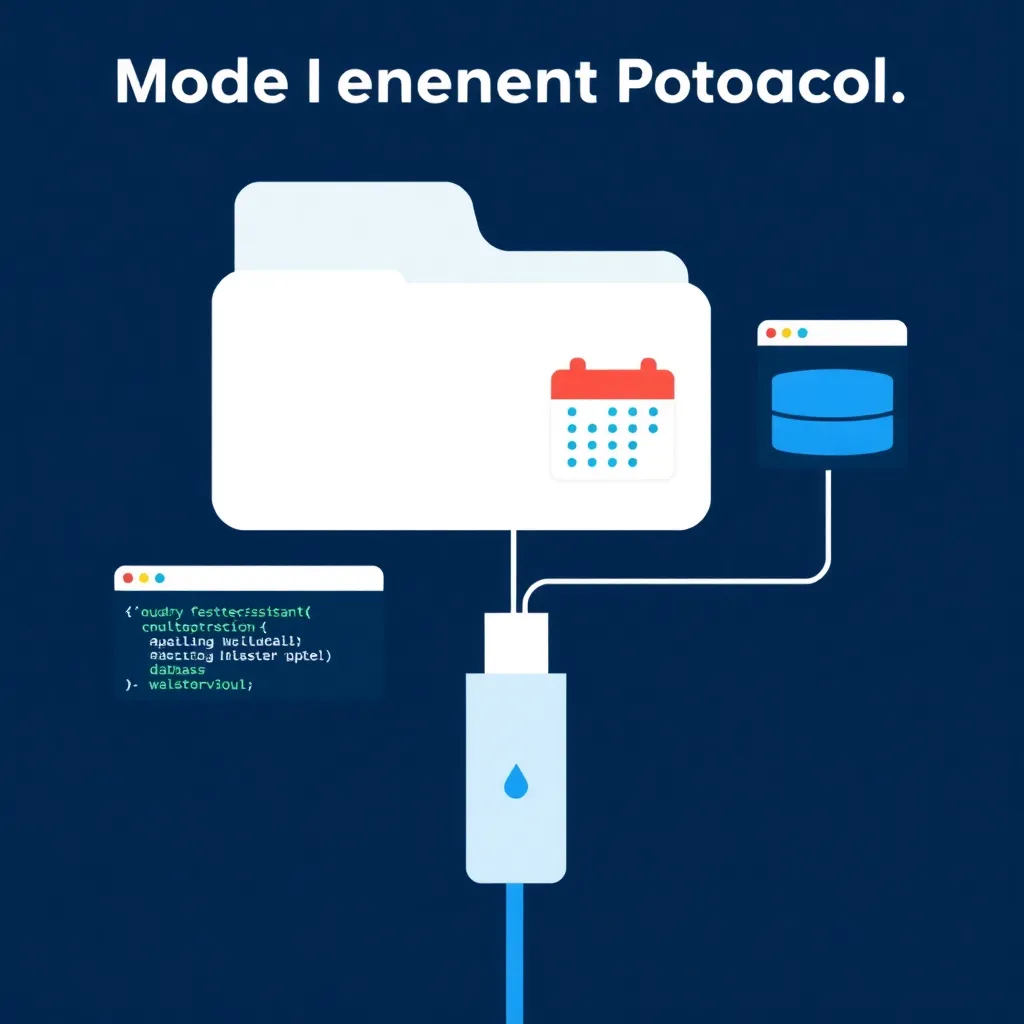
For beginners, the Model Context Protocol (MCP) is an open standard that acts like a universal translator for AI applications. It defines a common way for an AI model to connect to external data sources and tools, ensuring different apps can understand and use the same information without custom integrations for each one. Think of it as USB-C for your AI ecosystem.
Why MCP matters for regular AI users
MCP is a big deal for regular AI users because it breaks down the walls between different apps. Before MCP, if you wanted one AI tool to access your notes and another to analyze your calendar, you needed separate, complicated setups for each. MCP creates a shared system where your tools can work together seamlessly, giving your AI assistant a broader, more consistent understanding of your world, just like how USB-C lets one cable charge your phone, tablet, and headphones.
How MCP works in plain English
MCP works through a simple three-part system: a host (like an AI app you use), a client (a helper inside that app that understands MCP), and a server (a small program that connects to a specific tool or data source). It’s like a translator at an international meeting: the host (the meeting organizer) wants information from a specialist (the server), and the client (the translator) uses a standard language (MCP) to fetch and deliver the information accurately.
3 tools to try MCP today
You don’t need to be a developer to see MCP in action. Several popular AI coding assistants have built-in support, making them the perfect place to start experimenting.
Claude Code
Claude Code is Anthropic’s AI-powered coding assistant, and it’s one of the easiest ways to see MCP working. It comes with built-in MCP clients that can connect to pre-made servers for things like accessing the web or reading files. As a beginner, you can simply enable an MCP server (like the file system one) and ask Claude Code to summarize a document on your desktop, observing how it uses the MCP connection to access your local file safely. It scores 8.2/10 in our comparison database.
📊 See how Claude Code compares → ToolBrain Comparisons
Cursor
Cursor is a popular AI-focused code editor that deeply integrates MCP to supercharge your workflow. It has a dedicated MCP settings panel where you can install community-built servers with one click. For example, you could install a server that connects to a documentation website, and then ask Cursor’s AI to “explain the code based on the official docs,” watching it fetch real-time context via MCP. It scores an impressive 9.2/10 in our comparison database.
📊 See how Cursor compares → ToolBrain Comparisons
Cline
Cline is a powerful, free, and open-source AI coding assistant available as a VS Code extension. Its standout feature for beginners is the MCP Marketplace, a curated list of one-click MCP server installations. You can browse the marketplace, find a server that connects to a service you use (like a note-taking app), install it, and immediately start a chat asking your AI to interact with that service using natural language. It scores 7.2/10 in our comparison database.
📊 See how Cline compares → ToolBrain Comparisons | Read our full review: Cline Review 2026
Common mistakes beginners make with MCP
It’s easy to get started with MCP, but a few common misunderstandings can lead to frustration. Here are the main pitfalls and how to avoid them.
- Thinking MCP is a tool you download, not a standard you use. MCP isn’t a single app; it’s a set of rules that apps like Claude Code or Cursor follow to connect to other tools. You use it through compatible applications.
- Installing every MCP server you find. Each server provides a specific connection (e.g., to Google Drive, your file system, or a database). Only install the ones you need for your workflow to keep things simple and secure.
- Ignoring permissions and security. An MCP server gives an AI model access to data or tools. Always review what a server can do and only run servers from trusted sources, just like you would with any app requesting access to your files.
- Expecting it to work without any setup. While easier than old methods, MCP still requires you to install a compatible application and enable or configure the specific servers you want to use. It’s not magic—it’s a powerful but manageable technology.
What to do next
Ready to explore MCP? Here are concrete steps you can take this week:
- Try a free tool: Download the free tier of Claude Code or install the Cline extension in VS Code and enable a simple MCP server like the built-in file system connector.
- Explore the options: Visit our ToolBrain Comparisons page to see how different AI tools stack up on features like MCP support, price, and ease of use.
- Learn the basics: If you’re curious about the technical side, read our MCP 101 build guide to see how a basic server is constructed (no coding required for reading).
- Check what’s planned: This guide is part of our beginner series — check the roadmap for what’s coming next.
- Follow our pipeline: This post came from our content pipeline — see what’s scheduled next at /cron-pipeline/.
FAQ
Is MCP the same as an API?
No, MCP is not the same as an API. An API (Application Programming Interface) is a specific set of rules for how one piece of software communicates with another, unique to each service. MCP is a higher-level, universal standard that can use APIs underneath, but its main purpose is to create one consistent method for AI models to connect to many different tools and data sources.
Do I need to know how to code to use MCP?
You do not need to know how to code to use MCP. Tools like Claude Code and Cursor handle all the technical setup. As a beginner user, your role is to select and enable the MCP servers you want from a marketplace or settings menu, then interact with your AI tool using natural language prompts.
Which AI apps support MCP in 2026?
As of 2026, primary support for MCP comes from AI coding assistants like Claude Code, Cursor, and Cline. Anthropic, which created the protocol, has seen growing adoption in developer-focused tools. The MCP documentation at modelcontextprotocol.io maintains a list of implementations and servers, showing the ecosystem’s steady growth beyond just code editors.
References
[1] Claude Code [2] Cline [3] modelcontextprotocol.io
Back to all posts