🔬 Deep Dive (6-8 min) · 1484 words
If you are weighing Claude Code against the alternatives, our comparison database keeps a live scorecard of how the leading AI Coding Assistant tools stack up.
ToolBrain Score
Overall: 8.2/10
TL;DR: Claude Code and OpenAI Codex CLI are the two dominant CLI-native AI coding assistants in 2026. Claude Code excels at interactive reasoning, deep context understanding, and iterative debugging — ideal for complex codebase-wide refactoring and architecture design. Codex CLI is faster, token-efficient, and designed for autonomous parallel execution — better for production-oriented tasks, test writing, and GitHub-integrated workflows. Both are exceptional; pick based on how you want to work with AI, not if.
Introduction: Two Approaches to AI-Assisted Coding
The terminal-based AI coding assistant has become the dominant workflow for developers in 2026. While IDE extensions like Cursor and Copilot remain popular, CLI-native tools offer unmatched flexibility — they work with any editor, integrate with any CI/CD pipeline, and let AI agents operate directly in your development environment.
Two tools sit at the top of this category: Anthropic's Claude Code (powered by Claude Opus 4.7 / Sonnet 4.6) and OpenAI's Codex CLI (powered by GPT-5.5). Both are exceptional, but they approach AI-assisted development from fundamentally different philosophies. This comparison breaks down everything you need to choose — or know how to combine both.
At a Glance: Key Differences
| Feature | Claude Code | OpenAI Codex CLI |
|---|---|---|
| Primary Model | Claude Opus 4.7 / Sonnet 4.6 | GPT-5.5 |
| Context Window | 1M tokens (standard pricing) | 272K default, up to 1.05M experimental |
| Execution Environment | Local terminal | Cloud sandbox (remote) |
| Interaction Style | Interactive reasoning, asks questions | Autonomous delegation, presents results |
| SWE-Bench Verified | 80.8% (Opus 4.6) | Not yet disclosed (GPT-5.5) |
| Terminal-Bench 2.0 | 77.3% (prior gen) | 82.7% (GPT-5.5) |
| Initial Output Speed | ~1,200 lines in 5 min | ~200 lines in 10 min |
| Token Efficiency | Higher token consumption (verbose) | 2-3x fewer tokens for comparable results |
| Safety Model | Application layer (hooks) | OS kernel layer (Sandbox/Seccomp) |
| Platform Support | CLI (macOS/Linux) | CLI + desktop apps (macOS Feb '26, Windows Mar '26) |
| IDE Extensions | Limited | VS Code, Cursor, Windsurf |
| Pricing Model | Consumption (token-based) | Flat-rate ChatGPT plan or API |
| Voice Input | Native (Claude Code Voice) | Not native |
Architecture & Execution Philosophy
The deepest difference between these tools isn't feature lists — it's how they think about the developer-AI relationship.
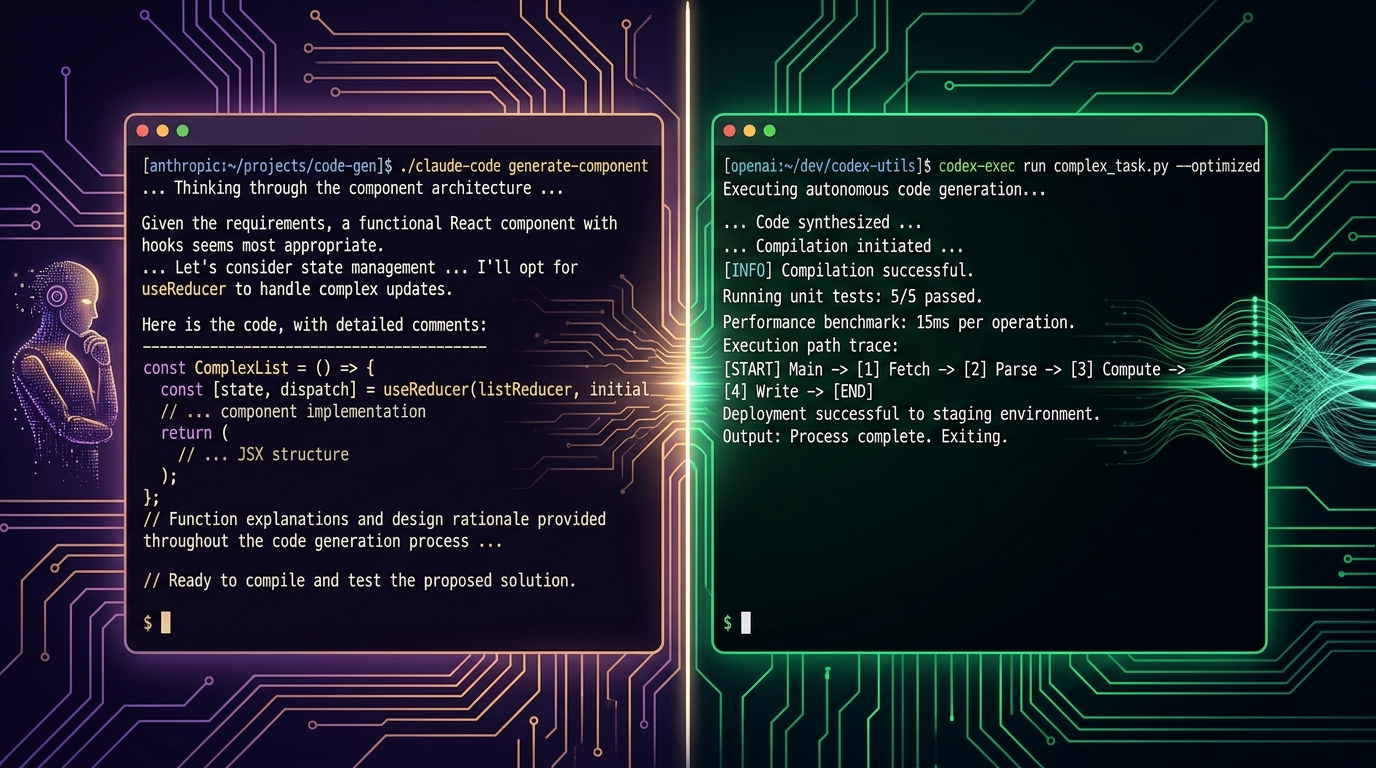
Claude Code: Interactive Co-Developer
Claude Code runs in your local terminal, directly accessing your files, environment, and shows its reasoning as it works. It asks clarifying questions at decision points, explains trade-offs, and iterates with you. This makes it feel like pair programming with a senior engineer who talks through their thought process.
Strengths of this model:
- Deep context — with 1M token window standard, Claude Code can hold your entire codebase in context and reason across dozens of files simultaneously.
- Iterative debugging — Claude explains why it's making changes, catches edge cases, and invites correction mid-stream.
- Architecture design — excels at open-ended tasks like "design a modular API layer" where the solution requires exploring trade-offs.
Trade-offs:
- Slower for batch work — each task blocks your terminal while Claude reasons aloud.
- Higher token consumption — the step-by-step reasoning burns more tokens per task.
- Your machine's resources — large context windows consume significant RAM during active sessions.
Codex CLI: Autonomous Task Executor
Codex CLI operates in an OpenAI-managed cloud sandbox. You delegate a task, Codex works on it independently, and presents the result for review. It's designed for parallel, asynchronous execution — you can have multiple Codex instances working on different features simultaneously while you focus on other work.
Strengths of this model:
- True parallelism — spin up multiple Codex sessions to write tests, refactor modules, and fix bugs concurrently.
- Token efficiency — Codex produces concise output, consuming 2-3x fewer tokens than Claude Code for equivalent results.
- Isolation — the cloud sandbox means no risk of corrupted local state, accidental git commits, or runaway processes.
- GitHub-native — deep integration with GitHub Actions and PR workflows.
Trade-offs:
- Less interactive — Codex doesn't walk you through its reasoning; you see the final diff.
- Internet required — no offline mode; all execution happens in the cloud.
- Context limits — 272K default context means very large codebases may need multiple passes.
Benchmark Performance
Both tools run on frontier models, but their benchmarks reveal different strengths:
| Benchmark | Claude Code | Codex CLI | Winner |
|---|---|---|---|
| SWE-Bench Verified | 80.8% (Opus 4.6) | — | Claude (verified benchmark) |
| Terminal-Bench 2.0 | 77.3% (prior gen) | 82.7% (GPT-5.5) | Codex CLI |
| OSWorld-Verified | 72.7% | — | Claude (OS interaction) |
| Debugging Accuracy | Strong (logical edge cases) | Excellent (systematic catch) | Codex CLI (edge) |
| Documentation Quality | Excellent (comprehensive) | Good (concise) | Claude Code |
Key insight: Benchmarks favor different tools for different tasks. SWE-Bench tests real-world GitHub issue resolution — Claude's strong showing here reflects its deep reasoning ability. Terminal-Bench tests autonomous CLI operation — Codex's lead reflects its execution-first design. The right tool depends on your specific workflow.
Pricing & Cost Analysis
| Model | Cost per Task | Notes |
|---|---|---|
| Claude Code (Opus 4.7) | $3-8 per intensive session | Higher token volume drives cost up ~25% vs Codex for same task |
| Claude Code (Sonnet 4.6) | $0.50-1.50 per session | Better for routine work; reserve Opus for complex reasoning |
| Codex CLI (ChatGPT Pro) | $20/mo (flat rate) | Predictable cost for consistent heavy use |
| Codex CLI (ChatGPT Plus) | $20/mo (with limits) | Good for moderate use; hit rate limits under heavy load |
| Codex CLI (API) | Per-token pricing | Flexible for variable usage; can exceed $100/mo for power users |
Pro tip: For teams, Claude Code's consumption model can be cheaper for light use but more expensive at scale. Codex CLI's flat-rate ChatGPT plan offers predictable per-seat pricing that scales linearly with team size.
Use Cases: Which Tool for Which Job?
Choose Claude Code When:
- Codebase-wide refactoring: Renaming a core abstraction across 40 files? Claude's 1M context keeps the full picture.
- Architecture design: "Design a modular plugin system" — Claude will explore options, weigh trade-offs, and build a comprehensive solution.
- Iterative debugging: Claude shows its reasoning, catches edge cases, and asks clarifying questions as it debugs.
- Learning: Claude Code Voice lets you dictate prompts naturally, and the verbose reasoning is excellent for understanding why a solution works.
- Documentation generation: Claude produces thorough, production-ready documentation with architecture diagrams in text.
Choose Codex CLI When:
- Parallel task execution: Need to write test suites, fix 5 bugs, and refactor two modules simultaneously? Spin up multiple Codex sessions.
- Production deployments: Codex's autonomous execution and GitHub-native workflow make it ideal for CI/CD pipelines.
- Cost-sensitive environments: Codex's token efficiency means lower API costs at scale.
- Team distribution: Flat-rate pricing via ChatGPT plans makes per-seat budgeting predictable.
- Safety-first pipelines: Sandboxed execution means Codex can run unattended without risk to your local environment.
Use Both (Yes, You Can)
Many teams are adopting a hybrid strategy:
- Use Claude Code for design, architecture, complex debugging, and learning — tasks where reasoning and interaction matter.
- Use Codex CLI for execution, testing, refactoring, and CI/CD — tasks where autonomy and speed matter.
- The tools don't conflict. Your Claude-designed architecture can be implemented by parallel Codex sessions.
Pros & Cons
Claude Code
| Pros | Cons |
|---|---|
| 1M token context window at standard pricing | Higher token consumption = higher cost per task |
| Interactive reasoning feels like pair programming | Blocks terminal during sessions |
| Excellent documentation quality | No native sandbox execution |
| Native voice input (Claude Code Voice) | Limited IDE extension support |
| UltraReview: cloud-based bug-hunting agents | No Windows CLI support yet |
| Memory feature for cross-session project context | Steep learning curve for best results |
OpenAI Codex CLI
| Pros | Cons |
|---|---|
| 2-3x token efficiency vs Claude Code | Shorter default context window (272K) |
| Parallel execution across multiple sessions | Requires internet connectivity |
| Sandboxed cloud execution for safety | Less interactive — less visibility into reasoning |
| Desktop apps (macOS, Windows) | No native voice input |
| IDE extensions for VS Code, Cursor, Windsurf | Flat-rate pricing can be wasteful for light users |
| GitHub-native CI/CD integration | Experimental long-context mode costs more |
Ecosystem & Integrations
Both tools benefit from large ecosystems, but in different ways:
- Claude Code integrates deeply with Anthropic's ecosystem — Console for prompt management, API for custom tool calling, and the Skills 2.0 system for reusable agent configurations. See our Complete Guide to Claude Code for the full picture.
- Codex CLI leverages OpenAI's platform — ChatGPT plans for simple access, the Assistants API for custom agents, and GPTs for specialized workflows. It also integrates with third-party IDEs out of the box, unlike Claude Code's more limited IDE story.
On the protocol front, both support MCP (Model Context Protocol), allowing them to connect to the same ecosystem of tools, databases, and APIs. For a deeper look at MCP tool-building, see our Guide to Building MCP Servers with FastMCP.
FAQ
Can I use both Claude Code and Codex CLI together?
Absolutely. They coexist in the same terminal. Many developers use Claude Code for design and complex reasoning, then hand off implementation tasks to parallel Codex CLI sessions. They don't conflict.
Which is better for large codebases?
Claude Code, thanks to its 1M token context window at standard pricing. Codex CLI's 272K default context is fine for most projects but may need multiple passes on very large monorepos.
Which is more cost-effective for a team?
It depends on usage patterns. For consistent heavy use, Codex CLI's ChatGPT Pro flat rate is more predictable. For variable usage, Claude Code's consumption model may be cheaper for lighter weeks. Plan to spend ~25% more with Claude Code for comparable task volume.
Do I need a paid plan for either?
Both offer free tiers with rate limits. For regular daily use, expect to pay: ChatGPT Plus ($20/mo) or Pro for Codex CLI; Claude Pro ($20/mo) or API credits for Claude Code. Enterprise plans are available for both.
Which is better for writing tests?
Codex CLI, due to its autonomous execution and token efficiency. You can spin up 3-5 Codex sessions to write test suites in parallel while you focus on other work. Claude Code is better for testing complex edge cases that require reasoning.
Which has better security for enterprise deployments?
Codex CLI's OS-kernel sandbox (Seatbelt, Landlock, seccomp) provides stronger isolation at the infrastructure level. Claude Code's application-layer hook system offers finer-grained control. The right choice depends on your compliance requirements.
Can Claude Code run in CI/CD?
Yes, but it's less natural than Codex CLI. Claude Code is designed for interactive use; running it headless requires careful prompt engineering and approval workflow setup. Codex CLI's GitHub-native design makes CI/CD integration seamless.
Which has the better model for understanding my full codebase?
Claude Code with Claude Opus 4.7. The 1M token context window at standard pricing means it can hold an enormous amount of your codebase in context simultaneously. Codex CLI's 272K default is still generous but requires more strategic context management for very large projects.
Verdict
There is no single winner — these tools excel at different modes of AI-assisted development.
Claude Code wins for deep reasoning, architecture design, iterative debugging, and learning. If your work involves understanding complex systems, designing thoughtful solutions, or exploring unfamiliar codebases, Claude Code is the better choice.
Codex CLI wins for production execution, parallel task handling, cost efficiency, and CI/CD integration. If your workflow involves shipping code fast, running test suites, or delegating well-defined tasks, Codex CLI is the better choice.
The best strategy: Use both. Let Claude Code design your architecture and Claude Code can reason through complex bugs. Let Codex CLI execute the implementation, write the tests, and handle the CI/CD pipeline. Together, they cover the full development lifecycle.
This is a living comparison. Both tools are evolving rapidly — check back for updates as new models and features launch.
Dig deeper: Claude Code review · Codex CLI review.
Back to all posts