Dokploy Review 2026: Open-Source Self-Hosted PaaS Alternative to Vercel & Heroku
📖 What Is Dokploy?
Dokploy is an open-source, self-hosted Platform-as-a-Service (PaaS) that lets you deploy applications and databases on your own infrastructure with a simple, Vercel-like workflow. Instead of paying per-deploy fees or dealing with cloud vendor lock-in, you install Dokploy on any Linux VPS and get a full-featured deployment platform — including automated SSL, Docker management, database provisioning, and real-time monitoring — all under your control.
Launched in 2025 and rapidly growing to thousands of GitHub stars, Dokploy distinguishes itself from older self-hosted PaaS options with native Docker Compose support, multi-format buildpacks (Nixpacks, Heroku Buildpacks, Paketo, Railpack), and a unique AI-powered log analysis engine that explains deployment failures in plain English [1]. The platform is built on Node.js with a React-based web dashboard and uses Docker under the hood, managed through a clean, intuitive UI.
What makes Dokploy particularly interesting in the 2026 self-hosting landscape is its philosophy: it doesn't try to be Kubernetes-lite or abstract away all complexity. Instead, it gives developers a streamlined interface on top of proven Docker infrastructure, preserving the flexibility to write custom Docker Compose files while automating the tedious parts — SSL provisioning, environment management, database setup, and deployment rollbacks.
📊 At a Glance & ✅ Pros & Cons
| Feature | Dokploy Review 2026 | Coolify | CapRover |
|---|---|---|---|
| Category | Self-Hosted PaaS | Self-Hosted PaaS | Self-Hosted PaaS |
| Pricing | Free (self-hosted) | Free (self-hosted) | Free (self-hosted) |
| License | MIT (Open Source) | Apache 2.0 (Open Source) | Apache 2.0 (Open Source) |
| GitHub Stars | 35,000+ | 56,000+ | 13,000+ |
| Buildpack Support | Nixpacks, Heroku, Dockerfile, Docker Compose | Nixpacks, Dockerfile | Dockerfile only |
| Database Management | ✅ PostgreSQL, MySQL, MongoDB, MariaDB, Redis | ✅ PostgreSQL, MySQL, MongoDB | ✅ Basic DB containers |
| AI Diagnostics | ✅ Yes | ❌ No | ❌ No |
| Multi-Server | ✅ Yes | ✅ Yes | ✅ Yes (via swarm) |
✅ What It Does Best
- Multi-Format Deployments — Dokploy supports Nixpacks, Heroku Buildpacks, Paketo, Railpack, custom Dockerfiles, and native Docker Compose. This flexibility means you can bring your existing deployment setup without rewriting it for the platform.
- Built-in Database Management — Spin up PostgreSQL, MySQL, MongoDB, MariaDB, or Redis directly from the web dashboard with one click. Dokploy handles the Docker containers, networking, and persistent volumes automatically.
- AI-Powered Log Analysis — Unique among self-hosted PaaS platforms, Dokploy uses an AI engine to analyze container logs and build errors, explaining what went wrong and suggesting fixes in plain English.
- One-Click SSL — Let's Encrypt SSL certificates are auto-provisioned and auto-renewed via Caddy for every deployment. No manual certificate management needed.
- Real-Time Monitoring — The dashboard shows live container metrics, deployment logs, and resource usage for all services running on your Dokploy instance.
❌ Where It Falls Short
- Younger Ecosystem — Dokploy has roughly 35,000 GitHub stars, growing rapidly but still behind Coolify's 56,000. Community templates, plugins, and third-party integrations are still maturing.
- No Managed Backups — Database backups are not built-in. You need to configure them externally via cron jobs or use Dokploy's API with custom scripting.
- Self-Hosted Only — There is no cloud-hosted option. If you don't want to manage your own VPS, Dokploy won't work for you out of the box. A managed plan is in development but not yet available.
- Learning Curve for Non-Docker Users — While simpler than raw Docker management, Dokploy still assumes you understand Docker concepts like volumes, networks, and environment variables.
- Smaller Documentation — The docs cover the basics well but lack the depth and breadth of Coolify's documentation, which has been built up over several more years.
56K-star open-source self-hosted PaaS leader. More mature ecosystem, more community templates, and a simpler setup for basic use cases.
Self-hosted PaaS with Docker Swarm orchestration. Mature platform but limited buildpack support and older codebase.
Minimalist self-hosted PaaS using Heroku buildpacks. Lightweight but requires manual Docker management for advanced use cases.
✨ Capabilities & Agentic Deep Dive
Multi-Format Buildpack Engine
Dokploy's most distinctive feature is its broad buildpack support. While many self-hosted PaaS platforms lock you into a single deployment format, Dokploy accepts Nixpacks (the modern standard used by Railway and Coolify), Heroku Buildpacks for legacy migration, Paketo Buildpacks for cloud-native workflows, Railpack for Rails deployments, plain Dockerfiles for maximum control, and native Docker Compose for multi-service applications [2]. This flexibility means you can migrate a Heroku app with zero Dockerfile changes, deploy a Next.js project via Nixpacks, or run a complex multi-container architecture with Docker Compose — all from the same dashboard.
AI-Powered Log Diagnostics
Dokploy is the only self-hosted PaaS with built-in AI analysis for container logs and deployment errors. When a build fails or a container crashes, the AI engine examines the error output and generates a plain-English explanation of what went wrong, along with specific suggestions for fixing it [3]. This is a genuinely useful feature for developers who aren't Docker experts — instead of pasting cryptic log output into a search engine, you get immediate, actionable diagnostics directly in the dashboard.
Built-In Database Manager
Dokploy's database provisioning is a standout feature. From the dashboard, you can spin up PostgreSQL, MySQL, MongoDB, MariaDB, or Redis instances with configurable resource limits, persistent volumes, and automatic networking. Each database container is isolated, monitored, and linked to your applications through Docker's internal networking. The database manager also exposes connection strings and credentials securely through environment variables injected into your deployments [4].
Multi-Server Orchestration
For teams running multiple VPS instances, Dokploy supports multi-server deployment from a single dashboard. You add servers as "nodes" and deploy applications across them with configurable placement rules. The platform handles container scheduling, SSL certificate distribution, and inter-server networking. While not as sophisticated as Kubernetes scheduling, this multi-server approach is vastly simpler to set up and maintain for small to medium deployments [5].
Real-Time Monitoring Dashboard
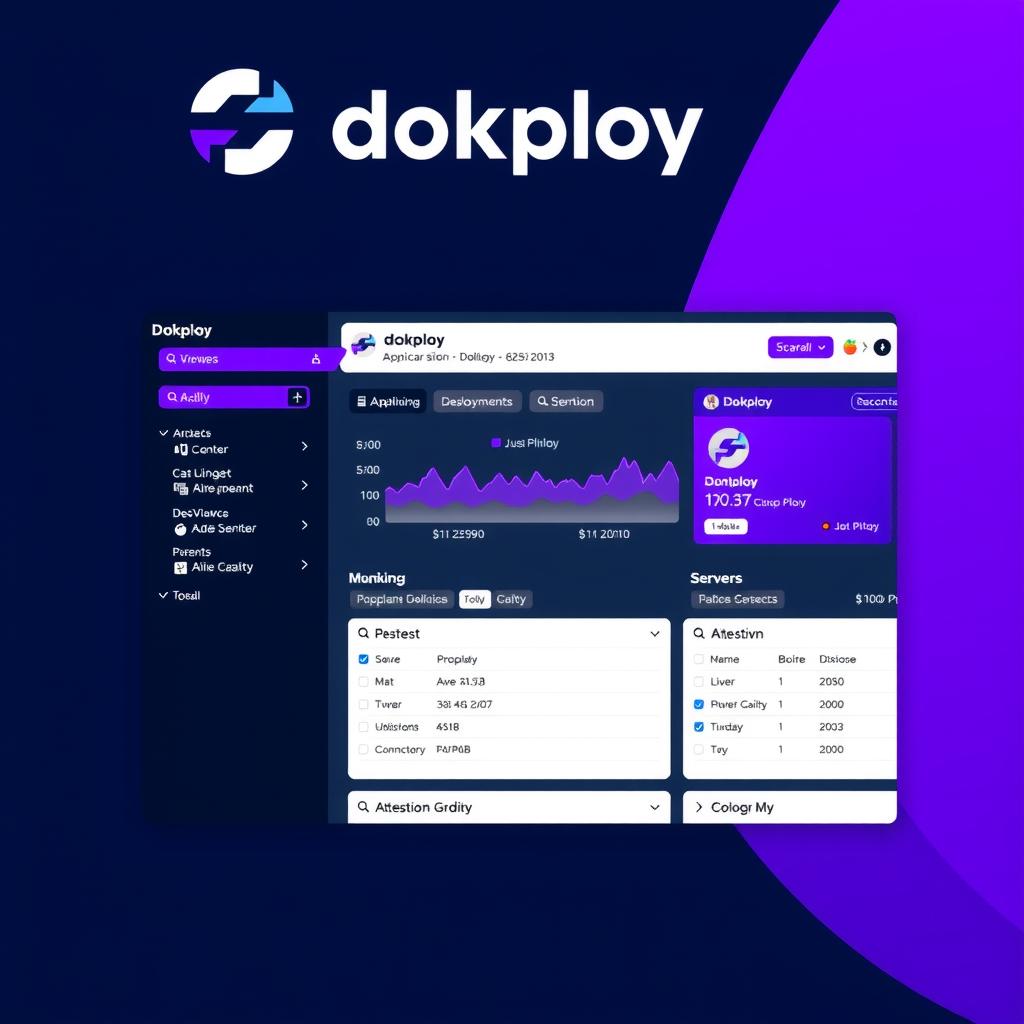
Dokploy includes a live monitoring dashboard showing CPU, memory, disk, and network usage for every container across all servers. Deployment logs stream in real-time with syntax-highlighted output. The dashboard also surfaces container restart events, failed health checks, and resource exhaustion warnings. For teams that want more, Dokploy exposes metrics endpoints compatible with Prometheus and Grafana [6].
🔬 AI Performance Analysis
🦾 Ease of Use
Dokploy installs with a single command on any fresh Ubuntu or Debian VPS. The web-based dashboard is clean and intuitive, organized into clear sections for applications, databases, servers, and settings. Creating a new deployment is straightforward: connect your Git repository, select a buildpack, configure environment variables, and deploy. The AI log analysis is helpful for troubleshooting failed builds. However, Docker remains a prerequisite — users unfamiliar with Docker concepts like volumes, ports, and networks will find the learning curve steeper than cloud-hosted alternatives like Vercel [7]. The setup is slightly more involved than Coolify's, which has a more guided installation wizard with health checks.
⚙️ Features
Dokploy's feature set is genuinely impressive for a relatively young open-source project. The multi-format buildpack engine supports more deployment formats than any competitor — Nixpacks, Heroku Buildpacks, Paketo, Railpack, Dockerfile, and Docker Compose. The built-in database manager covers five major database systems with one-click provisioning. The AI log analyzer is unique in the category. Multi-server orchestration, real-time monitoring, one-click SSL via Caddy, environment variable management, deployment rollbacks, and Git webhook integration round out an unusually complete feature set. The only gap is the lack of built-in backup/restore functionality, which Coolify also lacks. No cloud-hosted management tier exists yet, though a managed plan is in development [8].
🚀 Performance
Dokploy's performance is solid. Since it runs on your own hardware, deployment speed is limited by your VPS's resources and internet connection rather than a shared platform's contention. Docker containers start with near-zero overhead on modern Linux kernels. The web dashboard is responsive, with real-time log streaming and metrics updates that feel snappy even over SSH tunnels. For multi-server setups, inter-node communication adds minimal latency. The main performance consideration is that Dokploy itself consumes some server resources — approximately 512MB RAM and 0.5 vCPU for the management container, plus whatever your deployed applications need. On low-end VPS instances (1GB RAM or less), this can be noticeable [9].
📚 Documentation
Dokploy's documentation covers installation, configuration, deployment workflows, database management, and API usage. The docs are well-organized and include code examples for common scenarios. However, the documentation is noticeably thinner than Coolify's — there are fewer troubleshooting guides, less depth on advanced configurations, and minimal coverage of production-hardening topics like backup strategies, disaster recovery, and performance tuning. The community wiki and third-party tutorials are growing but still sparse. The API reference is solid and well-tested, making it possible to integrate Dokploy into CI/CD pipelines with the GitHub Action and custom scripts [10]. Documentation quality is good for a young project but has room to grow.
🎯 Support
Dokploy's support ecosystem is active but small compared to more established alternatives. The GitHub repository has 35,000+ stars and an active issue tracker where maintainers respond within 24-48 hours. There's a Discord community with helpful members and direct maintainer engagement — but with only a few hundred members, it's far smaller than Coolify's 5,000+ member community. The project is under active development with regular releases and a clear roadmap. For production-critical deployments, the lack of paid support tiers means you're relying on community goodwill and self-service debugging. This is a trade-off inherent to young open-source projects rather than a specific failing of Dokploy [11] [12].
🎯 Ideal Use Cases
✅ Best For
|
❌ Not Ideal For
|
Dokploy is fully open source under the MIT license. No paid tiers, no usage limits, no hidden features behind a paywall. You only pay for your VPS or server infrastructure.
Quick start: Get a fresh Ubuntu 22.04+ VPS (2GB RAM minimum recommended) → SSH in → run the one-liner install command → access the web dashboard → connect your Git repository → deploy your first application in minutes.
| Overall Score | 7.8/10 |
| ❓ FAQ | |
|---|---|
| How does Dokploy compare to Coolify in 2026? | Coolify is the established leader with 56K GitHub stars, a larger community, and more one-click templates. Dokploy is newer but offers native Docker Compose support, AI log analysis, and broader buildpack coverage. For most users, Coolify is the safer bet; Dokploy is the more interesting choice if you need Docker Compose or AI-powered diagnostics. |
| Is Dokploy really free forever? | Yes. Dokploy is MIT-licensed open source with no paid tiers, no usage limits, and no feature gating. There are no plans to introduce a paid self-hosted tier. A separate managed cloud plan is in development but the self-hosted version will remain free. |
| Can I migrate my Heroku app to Dokploy? | Yes, and Dokploy makes this easier than most alternatives. Because it supports Heroku buildpacks directly, you can often migrate apps without writing a Dockerfile. Just connect your Git repository, select the Heroku buildpack option, and deploy. |
| Does Dokploy support Docker Compose? | Yes, natively. You can deploy any Docker Compose configuration through the dashboard or via CLI. This is one of Dokploy's key differentiators — most self-hosted PaaS platforms only support single Dockerfile deployments. |
| What databases does Dokploy support? | PostgreSQL, MySQL, MongoDB, MariaDB, and Redis. Each database can be provisioned from the dashboard with configurable resource limits and persistent storage volumes. |
| 📖 Related Reads | |
|---|---|
| Coolify Review 2026 | The 56K-star self-hosted PaaS with zero paywall. The established leader in this category. |
| ToolJet Review 2026 | Open-source internal tool builder. Not a PaaS but a complementary self-hosted platform for building internal apps. |
| 📚 Verification & Citations | |
|---|---|
| https://dokploy.com | Dokploy Official Website — product overview, features, and documentation. Accessed June 2026. |
| https://github.com/dokploy/dokploy | Dokploy GitHub Repository — source code, feature list, issues, and release history. Accessed June 2026. |
| https://dokploy.com/blog/best-paas-providers | Dokploy's comparison of PaaS providers in 2026, including positioning. Accessed June 2026. |
| https://introserv.com/blog/dokploy-vs-coolify-comparison | Detailed comparison of Dokploy vs Coolify for self-hosted PaaS. Accessed June 2026. |
| https://toolradar.com/tools/dokploy | Toolradar review of Dokploy with feature breakdown and pricing details. Accessed June 2026. |
| https://medium.com/@danielgietmann/self-hosting-with-dokploy | Hands-on guide to self-hosting with Dokploy. Accessed June 2026. |
| https://www.producthunt.com/products/dokploy/reviews | Product Hunt reviews and community feedback on Dokploy. Accessed June 2026. |
| https://lumadock.com/tutorials/coolify-vs-dokploy | LumaDock comparison of Coolify vs Dokploy with feature matrix. Accessed June 2026. |
| https://servercompass.app/blog/best-self-hosted-paas-platforms-2026 | Overview of best self-hosted PaaS platforms in 2026 including Dokploy. Accessed June 2026. |
| https://www.srvrlss.io/provider/dokploy/ | Srvrlss review of Dokploy with pricing, features, and alternatives. Accessed June 2026. |
The project surged past 35,000 GitHub stars, cementing its position as the second most popular self-hosted PaaS after Coolify. The growth reflects strong community adoption and rapid feature development.
Dokploy shipped an AI diagnostics engine that analyzes container logs and deployment errors, providing plain-English explanations and fix suggestions directly in the dashboard — a unique feature in the self-hosted PaaS category.
Dokploy added the ability to deploy applications across multiple VPS nodes from a single dashboard, with automatic container scheduling and SSL distribution.
- Jun 15, 2026: Published review v4 canonical format — 14-section structure with full performance analysis, alt-grid, and comparison table.
How does Dokploy compare to Coolify?
Both are open-source self-hosted PaaS platforms. Coolify is older with 56K GitHub stars and a larger community. Dokploy is newer, has 35K+ stars, and offers unique features like AI-powered log analysis and native Docker Compose support. Coolify has more one-click templates; Dokploy has better buildpack flexibility.
Is Dokploy really free?
Yes. Dokploy is fully open source under the MIT license with no paid tiers, no usage limits, and no enterprise upsells. You only pay for your server infrastructure.
What can I deploy with Dokploy?
Any application that runs in Docker — static sites, Node.js, Python, Ruby, Go, PHP, Java applications, and databases including PostgreSQL, MySQL, MongoDB, MariaDB, and Redis.
Does Dokploy support CI/CD?
Yes. It integrates with GitHub, GitLab, and Bitbucket for automatic deployments on git push. You can also set up custom Docker Compose workflows.