The Bottom Line
LoRA (Low-Rank Adaptation) lets you fine-tune large language models on consumer hardware by training a tiny fraction of the parameters — typically 0.1–1% of the original model size. A 7B parameter model can be fine-tuned on a single RTX 3090/4090 with 24 GB VRAM. For most specialized tasks — instruction following, code generation, domain-specific writing — LoRA matches full fine-tuning quality at a fraction of the cost. Use it when you need model customization without the infrastructure of a data center.
New to the space? Our comparison database benchmarks 112 AI tools side by side, so you can see the differences at a glance.
What Is LoRA and Why Does It Matter?
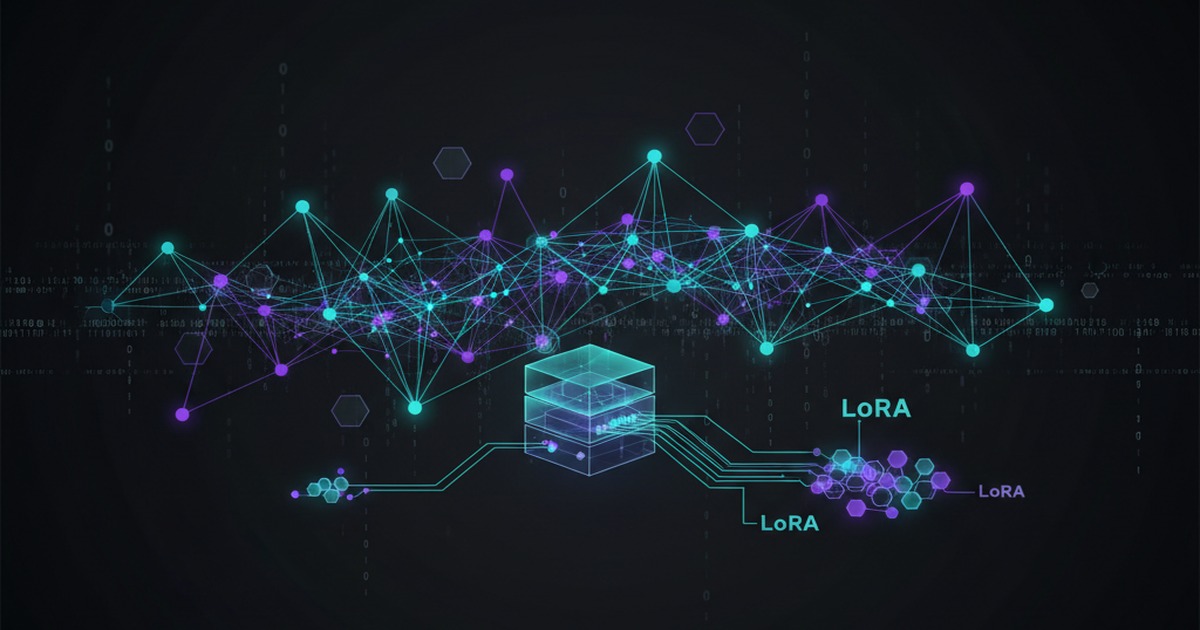
Full fine-tuning adjusts all weights in a model — requiring multiple GPUs, days of training, and terabytes of VRAM for models above 7B parameters. LoRA decomposes weight updates into two low-rank matrices (A and B) that are orders of magnitude smaller than the original weight matrices. During inference, these adapters are merged back into the base model with zero latency overhead.
The key math: instead of training ΔW ∈ ℝ^(d×k), LoRA trains A ∈ ℝ^(d×r) and B ∈ ℝ^(r×k) where r ≪ min(d,k). With r=8 or r=16, you get 99% of the quality with 0.1% of the parameters. This makes fine-tuning accessible on a single consumer GPU, enables fast switching between tasks via hot-swappable adapters, and drastically reduces storage — a LoRA adapter for a 70B model is just ~150 MB.
Selecting the Right Base Model
Not all models benefit equally from LoRA. Your choice of base model determines the ceiling of your fine-tuned results:
- Mistral / Llama 3 / Gemma 2 — Best for general instruction tuning, code, and reasoning tasks. Most community adapter support.
- DeepSeek V2/V3 — Excellent for long-context and math-heavy tasks thanks to Multi-head Latent Attention (MLA).
- Phi-3 / Phi-4 — Small (3.8B–14B), punch above their weight for code and reasoning. Fit on mid-range GPUs.
- Qwen 2.5 — Strong multilingual support and long-context capabilities out of the box.
- Command R+ — Best for RAG-oriented tasks with native tool-use training.
Rule of thumb: start with the smallest model that can handle your task complexity. A well-tuned 7B model often outperforms a poorly tuned 70B one, and training costs scale roughly O(n²) with model size.
Preparing Your Training Dataset
Dataset quality is the single biggest lever for fine-tuning success. A clean 1,000-example dataset beats a noisy 100,000-example one every time.
For instruction tuning, use the ChatML or Alpaca format:
{
 "messages": [
 {"role": "system", "content": "You are a senior Python developer..."},
 {"role": "user", "content": "Write a function that merges two sorted lists."},
 {"role": "assistant", "content": "def merge_sorted...
"}
 ]
}
Critical dataset hygiene steps:
- Deduplicate — Exact and near-duplicate removal (use MinHash or embedding similarity).
- Filter low quality — Remove examples with hallucinated facts, grammatical errors, or truncated responses.
- Balance domains — Ensure coverage across your target use cases. Don't let one domain dominate.
- Validate with held-out set — Keep 5-10% of data for evaluation. Track loss and task-specific metrics.
Hyperparameter Configuration
LoRA introduces several knobs that significantly impact results. Here's the practical configuration matrix:
| Parameter | Recommended Range | Notes |
|---|---|---|
r (rank) |
8–64 | r=16 is the default sweet spot. Higher r = more capacity but more VRAM. |
lora_alpha |
16–32 | Scaling factor. Keep alpha=2*r as a starting point. |
lora_dropout |
0.05–0.1 | Only applies during training. Standard choice: 0.05. |
target_modules |
q_proj, v_proj | Start with Q and V projections. Add K, O, gate, up, down for more capacity. |
learning_rate |
1e-4 to 5e-4 | LoRA typically needs 10-100x higher LR than full fine-tuning. |
batch_size |
4–128 | Gradient accumulation to fit VRAM constraints. Effective batch > hardware batch. |
warmup_steps |
10–100 | Linear warmup to avoid loss spikes. 10% of total steps is typical. |
Practical Training Script (Unsloth)
Unsloth is the fastest way to train LoRA adapters in 2026. It optimizes the attention kernel and reduces memory usage by 40–60% compared to vanilla Hugging Face:
from unsloth import FastLanguageModel
from unsloth import is_bfloat16_supported
import torch

model, tokenizer = FastLanguageModel.from_pretrained(
 model_name="unsloth/Meta-Llama-3.1-8B-bnb-4bit",
 max_seq_length=4096,
 dtype=None,
 load_in_4bit=True,
)

model = FastLanguageModel.get_peft_model(
 model,
 r=16,
 target_modules=["q_proj", "k_proj", "v_proj", "o_proj",
 "gate_proj", "up_proj", "down_proj"],
 lora_alpha=32,
 lora_dropout=0,
 bias="none",
 use_gradient_checkpointing="unsloth",
 random_state=42,
)

trainer = SFTTrainer(
 model=model,
 tokenizer=tokenizer,
 train_dataset=dataset,
 dataset_text_field="text",
 max_seq_length=4096,
 args=TrainingArguments(
 per_device_train_batch_size=4,
 gradient_accumulation_steps=4,
 warmup_steps=50,
 num_train_epochs=3,
 learning_rate=3e-4,
 fp16=not is_bfloat16_supported(),
 bf16=is_bfloat16_supported(),
 logging_steps=10,
 optim="adamw_8bit",
 weight_decay=0.01,
 lr_scheduler_type="cosine",
 seed=42,
 output_dir="outputs",
 ),
)

trainer.train()
model.save_pretrained("lora-adapter")
tokenizer.save_pretrained("lora-adapter")
Inference: Merging vs. Loading Adapters
You have two options for deploying a LoRA-tuned model:
# Option A: Merge adapter into base model (zero inference overhead)
model.save_pretrained_merged("merged-model", tokenizer, save_method="merged_16bit")

# Option B: Keep adapter separate (supports hot-swapping)
from peft import PeftModel
base = AutoModelForCausalLM.from_pretrained("base-model", device_map="auto")
model = PeftModel.from_pretrained(base, "lora-adapter")
model = model.merge_and_unload() # Merge for production
Merging is preferred for deployment: it eliminates adapter loading overhead, produces a single file, and is compatible with llama.cpp, vLLM, and llama-cpp-python for serving. Keep adapters separate only when you need rapid task switching.
Evaluation: Measuring What Matters
Loss curves alone don't tell you if your fine-tune succeeded. Build a multi-metric evaluation pipeline:
- Task-specific benchmarks — For code: HumanEval, MBPP. For math: GSM8K, MATH. For instruction: MT-Bench, AlpacaEval.
- Regression testing — Run the same prompts before and after fine-tuning. Ensure general capabilities haven't degraded (catastrophic forgetting).
- Adversarial evaluation — Test edge cases: empty inputs, very long contexts, out-of-domain queries, and jailbreak attempts.
- Perplexity comparison — Compare base model vs. fine-tuned perplexity on a held-out validation set. Lower is better, but don't chase perplexity at the expense of task performance.
A practical eval setup:
def evaluate_model(model, tokenizer, eval_set):
 results = {}
 for task, examples in eval_set.items():
 correct = 0
 for ex in examples:
 output = generate(model, tokenizer, ex["prompt"])
 correct += int(judge(output, ex["expected"]))
 results[task] = correct / len(examples)
 return results
Common Pitfalls
- Overfitting to small datasets — If training loss goes to near-zero while eval loss increases, reduce epochs, increase dropout, or add weight decay. With fewer than 500 examples, use LoRA rank 4–8.
- Catastrophic forgetting — The model loses general capabilities. Mitigate by mixing 10-20% general instruction data from the original training distribution into your fine-tuning blend.
- Wrong target modules — Training only
q_projandv_projworks for most tasks, but for complex reasoning you need all attention projections (q_proj, k_proj, v_proj, o_proj) and feed-forward layers (gate_proj, up_proj, down_proj). - Learning rate too low — LoRA needs higher LR than full fine-tuning. If loss barely decreases after 100 steps, increase LR by 2-3x.
- Skipping evaluation — Never deploy a model you haven't evaluated against both task-specific and general capability benchmarks.
QLoRA: Fine-Tuning on 8 GB GPUs
QLoRA combines 4-bit NormalFloat quantization with LoRA, enabling fine-tuning of 70B models on a single 48 GB GPU, or 8B models on 8–12 GB cards. The key components are NF4 quantization (information-theoretically optimal for normally distributed weights), double quantization (quantizing the quantization constants), and paged optimizers (CPU offloading for optimizer states).
The quality gap between QLoRA and full fine-tuning is typically 0.5–1% on standard benchmarks, while memory drops by ~4x. For most production use cases, this tradeoff is well worth it.
Alternatives to LoRA
LoRA isn't always the right choice. Consider these alternatives:
- DoRA (Weight-Decomposed Low-Rank Adaptation) — Splits updates into magnitude and direction components. Consistently outperforms LoRA by 2-3% on reasoning benchmarks with the same parameter count.
- AdaLoRA — Dynamically allocates rank across layers. Automatically prunes less important weights. Good when you don't want to manually tune rank per module.
- Full fine-tuning — Still the ceiling for quality. Necessary for learning new knowledge (facts, languages, domains) that LoRA's low-rank constraint can't capture. Requires multi-GPU setups.
- Prompt tuning / Prefix tuning — When you can't modify the model at all. Useful for API-based models where you only control the input prefix.
Resources
- LoRA: Low-Rank Adaptation of Large Language Models (Hu et al.) — The original paper.
- Hugging Face PEFT LoRA Documentation — Official library guide with code examples.
- Unsloth — Fast memory-optimized LoRA/QLoRA training.
- QLoRA: Efficient Finetuning of Quantized LLMs — Paper and code for 4-bit fine-tuning.
📖 Related Reads
- ToolBrain — tool reviews, LLM comparisons, and AI workflow guides
- CodeIntel Log — code quality, debugging, and software engineering benchmarks
Cross-links automatically generated from ToolBrain.
Dig deeper: Llama 4 Maverick review · Perplexity review.