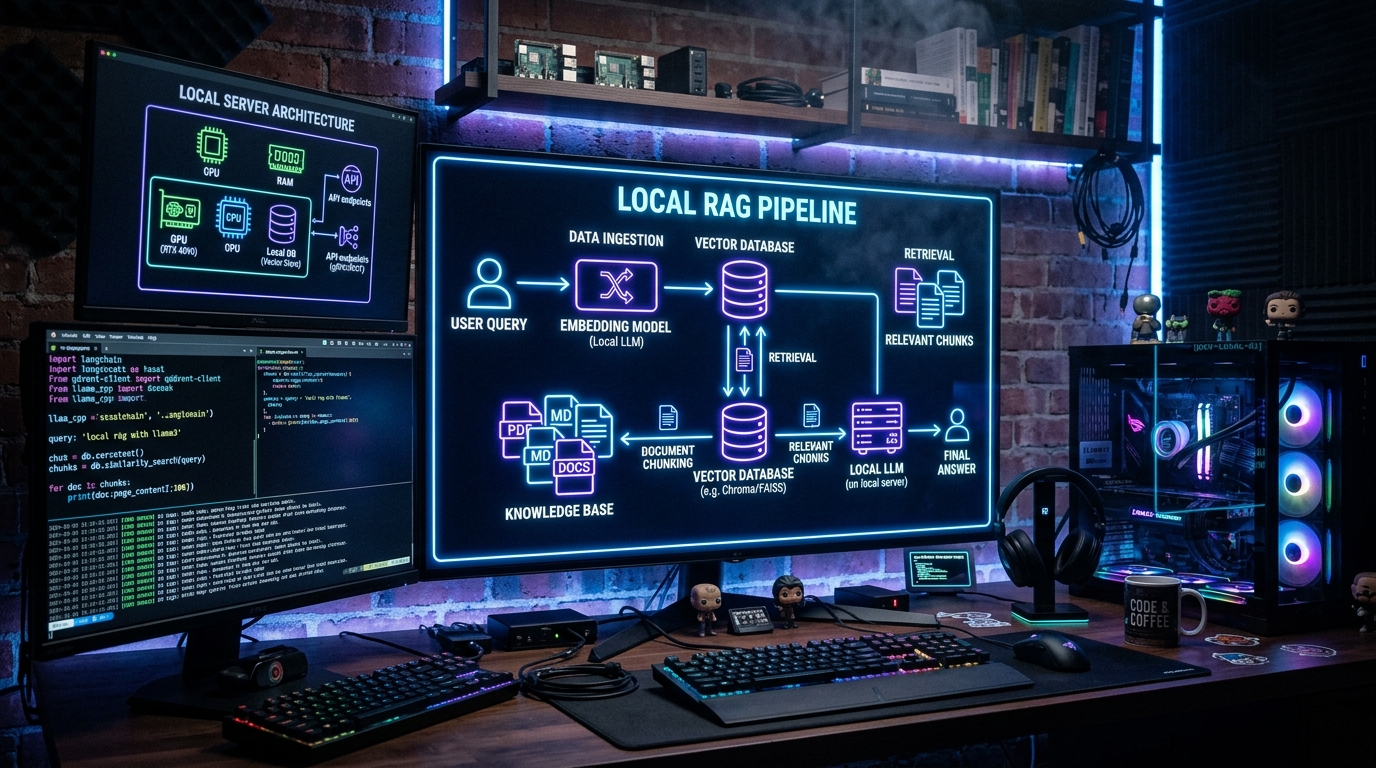
Retrieval-Augmented Generation (RAG) lets your AI agent answer questions about your own documents — your codebase, notes, business data, or any collection of files — without sending your data to a third-party API. Combined with [Ollama](https://ollama.com) for local LLMs and [LanceDB](https://lancedb.com) for vector storage, you get a fully private, self-hosted RAG pipeline that costs nothing to run after setup.
If you are weighing OpenClaw against the alternatives, our comparison database keeps a live scorecard of how the leading AI Agent tools stack up.
Here's exactly how to build one in 2026.
Prerequisites
Before you start, you need:
- OpenClaw installed and running (see the 10-minute VPS install guide)
- Ollama installed (
curl -fsSL https://ollama.com/install.sh | sh) - At least 8GB RAM (16GB recommended for larger models)
- A model pulled locally via Ollama (
ollama pull llama3.2:3bfor testing, orollama pull qwen2.5:7bfor better results)
Step 1: Install and Configure LanceDB
LanceDB is a vector database built for AI workflows. It's embedded — no server to manage, no Docker containers — and it works directly with OpenClaw's memory plugins.
First, ensure the LanceDB memory plugin is available in your OpenClaw setup:
class="language-text">ls ~/.openclaw/extensions/ | grep memoryYou should see memory-lancedb in the list. If not, install it:
class="language-text">npx openclaw plugin install memory-lancedbStep 2: Configure OpenClaw for Local RAG
Edit your OpenClaw config file (openclaw.yaml or ~/.openclaw/config.yaml):
class="language-yaml">providers: ollama: enabled: true model: qwen2.5:7b endpoint: http://localhost:11434memory: provider: lancedb lancedb: path: ~/.openclaw/memory/lancedb embedding_model: nomic-embed-text
plugins: entries: memory-lancedb: true
The key pieces:
providers.ollamapoints OpenClaw to your local Ollama instancememory.provider: lancedbtells OpenClaw to use LanceDB for vector storagememory.lancedb.embedding_modelis the Ollama model used to create embeddings (semantic vectors of your documents)
Pull the embedding model:
class="language-text">ollama pull nomic-embed-textStep 3: Create Your Document Directory
Create a directory for the documents you want to index:
class="language-text">mkdir -p ~/rag-documentsAdd your files — markdown, text, PDF, or code files. RAG works best with clean text content. For this guide, create a sample document:
class="language-text">cat > ~/rag-documents/company-policies.md << 'EOF' # Company PoliciesRemote Work Policy
Employees may work remotely up to 4 days per week. Office attendance is required on Tuesdays for team syncs.
Vacation Policy
Employees accrue 15 days of paid time off per year. Vacation requests must be approved by your manager at least 2 weeks in advance.
Expense Policy
All expenses over $50 require a receipt. Travel expenses over $500 require pre-approval. EOF
Step 4: Index Your Documents
OpenClaw provides a built-in command to index documents into LanceDB:
class="language-text">npx openclaw memory index ~/rag-documents/This command:
- Reads every file in the directory
- Chunks them into segments (configurable size, default ~500 tokens)
- Generates embeddings using
nomic-embed-textvia Ollama - Stores vectors + text in LanceDB at
~/.openclaw/memory/lancedb/
You should see output like:
class="language-text">Indexing company-policies.md... ✓
Indexed 1 files, 4 chunks, 0 errors
Step 5: Ask Questions Against Your Data
Once indexed, your OpenClaw agent automatically uses LanceDB for memory search. Ask a question that requires knowledge of your documents:
class="language-text">"What is the company's remote work policy?"Behind the scenes, OpenClaw does this:
- Converts your question into an embedding vector
- Searches LanceDB for the most similar document chunks
- Injects the matching chunks into the prompt as context
- Generates the answer using Ollama's local model
The result is an answer grounded in your actual documents, not the model's general training data.
Step 6: Re-Index When Documents Change
When you add, remove, or update files, re-run the index:
class="language-text">npx openclaw memory index ~/rag-documents/ --updateThe --update flag re-indexes changed files without rebuilding the entire index.
Practical Tips
Start small. Index 5-10 documents first, test the quality, then scale up. Large indexes can slow down search if your embedding model isn't fast enough.
Choose the right chunk size. Smaller chunks (200-300 tokens) improve precision for factual Q&A. Larger chunks (500-1000 tokens) work better for summarization and analysis. Adjust with:
class="language-yaml">memory:
 lancedb:
 chunk_size: 300
 chunk_overlap: 50
Use a quality embedding model. nomic-embed-text is a good free option. For better results, use snowflake-arctic-embed or bge-m3.
Monitor memory usage. LanceDB's default path stores data on disk, but embedding generation uses RAM. For very large document sets, consider a dedicated embedding server.
When to Use Local RAG vs API-Based RAG
| Factor | Local (Ollama + LanceDB) | API-Based (OpenAI + Pinecone) |
|---|---|---|
| Cost | $0 (after hardware) | Pay per token + storage |
| Privacy | Full data stays local | Data sent to third party |
| Latency | Higher (local inference) | Lower (cloud GPUs) |
| Quality | Good (7B-14B models) | Better (GPT-4, Claude) |
| Setup complexity | Moderate | Low (managed services) |
| Scaling | Hardware-bound | Elastic |
For personal documents, internal company wikis, and codebases under 10K files, local RAG is the right choice. For production customer-facing Q&A at scale, API-based RAG is still more practical.
Frequently Asked Questions
What's the best model for local RAG with OpenClaw?
Qwen 2.5 7B offers the best quality-to-speed ratio for most setups. For lower-end hardware (8GB RAM), use Llama 3.2 3B. For higher quality, try Qwen 2.5 14B or Llama 3.1 8B.
What file types does LanceDB indexing support?
OpenClaw's memory index supports .md, .txt, .py, .js, .ts, .json, .yaml, .csv, and .pdf files. Binary formats like images and audio require preprocessing.
Does LanceDB support hybrid search?
Yes. LanceDB supports both vector similarity search and keyword (FTS) search. OpenClaw uses hybrid search by default when an embedding model is configured, combining semantic relevance with exact keyword matching.
Can I have multiple indexed document collections?
LanceDB supports multiple tables (namespaces). OpenClaw creates a default table, but you can configure separate collections for different document types via the memory.lancedb.table config option.
How much does local RAG cost to run?
After the initial hardware cost, local RAG is free. Ollama runs on CPU or GPU, and LanceDB is open source under Apache 2.0. The only ongoing cost is electricity for your machine.
Dig deeper: OpenClaw review · IronClaw review.
Back to all posts