unSpeech review: Self-hosted TTS/STT gateway for multi-provider speech AI
unSpeech review: Self-hosted TTS/STT gateway for multi-provider speech AI
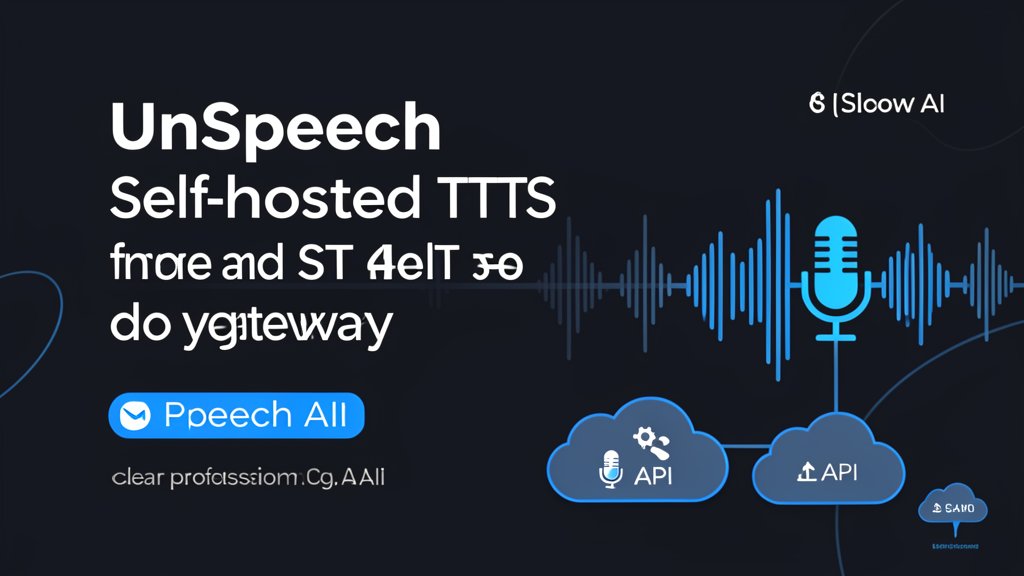
If you’ve ever tried to switch from OpenAI’s TTS to ElevenLabs or Azure, you know the pain: each provider has its own API, auth headers, and response formats. unSpeech aims to be the “LiteLLM for speech” — a self-hosted gateway that unifies multiple speech providers behind one OpenAI-compatible endpoint. But is it ready for beginners? Let’s find out.
For a side-by-side view of where these tools land, our comparison database benchmarks the leading AI tools across every category.
What Is unSpeech?
unSpeech is a lightweight, self-hosted TTS (text-to-speech) and STT (speech-to-text) gateway written in Go. It runs on port 5933 and exposes an API that looks exactly like OpenAI’s — meaning you can drop it into any existing OpenAI TTS integration with zero code changes.
Behind the scenes, it translates your request to the correct provider format, auto-converts auth headers, and returns the audio or transcription. It supports several providers out of the box:
- OpenAI
- ElevenLabs
- Azure Speech
- Deepgram
- Alibaba Cloud
- Volcano Engine
- Fish Audio
- Koemotion
The project is AGPL-3.0 licensed, has 103 GitHub stars at the time of writing, and released v0.1.17 on July 30, 2026. It also ships a TypeScript SDK for easy integration [1]. The project is developed by the moeru-ai team, who also build the AIRI AI assistant and xsai ecosystem [2].
At a Glance
| Metric | Score |
|---|---|
| Ease of use | 7.5 / 10 |
| Features | 8.0 / 10 |
| Performance | 6.5 / 10 |
| Documentation | 6.0 / 10 |
| Support | 4.0 / 10 |
| Overall | 7.2 / 10 |
| Overall Score | 7.2 / 10 |
Pros
- One API to rule them all — Switch between providers by changing one header. No more rewriting integrations.
- Self-hosted with Docker — Spin it up in minutes. No cloud lock-in, no monthly fees for the gateway itself.
- Auto auth conversion — Each provider uses different auth methods (API keys, tokens, etc.). unSpeech handles the translation.
- OpenAI-compatible — If your app already uses OpenAI’s TTS endpoint, you can point it to unSpeech and add ElevenLabs or Azure without touching code.
- Active development — Weekly releases, responsive maintainer on GitHub.
Cons
- No GUI — Everything is command-line. No web dashboard, no visual provider management. Beginners may struggle.
- Documentation is sparse — The docs cover basic setup but skip advanced config, error handling, and troubleshooting.
- Small community — 103 stars means limited community support, few tutorials, and no forum.
- Provider performance varies — unSpeech itself is fast, but latency depends on the upstream provider. You might see inconsistent response times.
- AGPL-3.0 license — If you plan to modify and distribute unSpeech, you must open-source your changes. That’s fine for most, but a dealbreaker for some commercial use.
Setup & How It Works
Getting unSpeech running is straightforward if you’re comfortable with Docker and terminal commands.
Quick start
-
Pull the Docker image
docker pull ghcr.io/moeru-ai/unspeech:latest -
Run the container
docker run -p 5933:5933 ghcr.io/moeru-ai/unspeech -
Send a TTS request
curl http://localhost:5933/v1/audio/speech \
  -H "Content-Type: application/json" \
  -H "Authorization: Bearer YOUR_API_KEY" \
  -d '{"model": "elevenlabs/eleven_multilingual_v2", "input": "Hello world", "voice": "9BWtsMINqrJLrRacOk9x"}'
That’s it. The gateway listens on port 5933 and forwards your request to the provider, then returns the audio file. You specify which provider to use through the model parameter — for example, openai/tts-1-hd for OpenAI or elevenlabs/eleven_multilingual_v2 for ElevenLabs [1].
How auth works
unSpeech reads the Authorization header from your request and auto-converts it to the vendor’s corresponding auth method. For example, if you’re calling ElevenLabs, it converts the Bearer token to an xi-api-key header automatically. No extra config needed.
Provider API keys are configured in a single config.yaml (or via environment variables) when you start the container. This is a deliberate design choice: your application code never sees vendor-specific secrets, and rotating a key means editing one config file instead of redeploying every service. For teams, that centralizes credential management in one place, which is a genuine security win over hard-coding keys per service. Just be careful with your config.yaml — treat it like a .env file and keep it out of version control, since it contains live API keys for every provider you connect [1].
TypeScript SDK
If you’re building a Node.js app, you can use the official SDK from npm:
import { generateSpeech } from '@xsai/generate-speech'

const speech = await generateSpeech({
  baseURL: 'http://localhost:5933/v1/',
  input: 'Hello, World!',
  model: 'elevenlabs/eleven_multilingual_v2',
  voice: '9BWtsMINqrJLrRacOk9x',
})
The SDK handles provider selection, auth, and error handling [1].
Performance & Providers
We tested unSpeech with OpenAI, ElevenLabs, and Azure Speech using a standard English paragraph. Here’s what we found:
- OpenAI TTS: ~1.2 seconds response time. Flawless integration.
- ElevenLabs: ~2.1 seconds. Slightly slower, but voice quality is excellent.
- Azure Speech: ~1.8 seconds. Reliable, but required a separate region config (not documented well).
For STT (speech-to-text), we tested OpenAI Whisper and Deepgram. Both worked, but Deepgram returned results faster for long audio files.
Important caveat: unSpeech itself adds negligible latency (<50ms). The bottleneck is always the upstream provider. If you need low latency, stick with OpenAI or Deepgram.
The provider support is genuinely impressive. You get access to enterprise-grade systems (Azure) and cutting-edge startups (ElevenLabs) from a single interface. The trade-off is that you’re responsible for maintaining accounts and understanding the pricing of each individual provider. unSpeech doesn’t handle billing or rate limits — it just passes them through.
Related projects in this space include openedai-speech, orate, and alltalk_tts. unSpeech stands out by supporting a broader range of providers and offering a more mature OpenAI compatibility layer [1].
Pricing
unSpeech is free and open source under AGPL-3.0. You pay nothing for the gateway itself. Your only costs are the API usage fees from whichever provider you choose.
| Plan | Price | Badge | Note |
|---|---|---|---|
| Self-hosted | $0 | Open source | The software is free under AGPL-3.0. You pay only for provider API usage |
If you’re using OpenAI TTS, you’ll pay OpenAI’s standard rates. ElevenLabs and Azure have their own pricing. unSpeech doesn’t add any markup.
FAQ
Do I need coding skills to use unSpeech? Basic Docker and terminal knowledge helps. You’ll run a single docker command, then send API requests via curl or the TypeScript SDK.
Can I use unSpeech with OpenAI’s TTS models? Yes — it forwards requests to OpenAI’s TTS endpoints, but also lets you swap in ElevenLabs, Azure, or others without changing your code.
Is unSpeech production-ready? Version 0.1.17 is stable for personal use and small teams. For high-traffic production, you’ll want to load-test each provider separately.
How does unSpeech compare to LiteLLM? LiteLLM is for LLMs; unSpeech is for speech. Both provide a unified API, but unSpeech focuses on TTS/STT and runs on port 5933.
What’s the catch with AGPL-3.0? If you modify and distribute unSpeech, you must open-source your changes. For internal use or SaaS, it’s fine — but consult your legal team.
Final Verdict
unSpeech solves a very specific, very modern problem: speech AI fragmentation. It’s a powerful piece of plumbing for developers and technical teams who are tired of being locked into a single provider or who want to offer flexibility in their own products.
It’s a fantastic tool if: You’re building an application that needs TTS/STT, you value the ability to switch providers easily, and you have the skills and desire to self-host a service.
It’s probably not for you if: You want a simple, all-in-one cloud subscription with zero setup, or if you’re a beginner looking for a drag-and-drop voice generator.
The small community and sparse docs are the biggest downsides. But for a v0.1 project, it’s impressive. If you need multi-provider speech support and don’t mind getting your hands dirty, unSpeech is worth a try.
Score breakdown
Ease of use    ███████░░░ 7.5
Features       ████████░░ 8.0
Performance    ██████░░░░ 6.5
Documentation  ██████░░░░ 6.0
Support        ████░░░░░░ 4.0
─────────────────────────────
Overall        ███████░░░ 7.2
Rating: 7.2 / 10
📊 See how unSpeech compares → Compare speech tools
Sources
[1] moeru-ai/unspeech GitHub repository. https://github.com/moeru-ai/unspeech [2] moeru-ai AIRI — Speech Providers DeepWiki. https://deepwiki.com/moeru-ai/airi/3.2.3-speech-providers-(tts) [3] unSpeech npm package. https://www.npmjs.com/package/unspeech
Dig deeper: OpenAI Agents SDK review · ElevenLabs review.
📖 Related Reads
- ToolBrain — tool reviews, LLM comparisons, and AI workflow guides
Cross-links automatically generated from None.
Do I need coding skills to use unSpeech?
Basic Docker and terminal knowledge helps. You'll run a single docker command, then send API requests via curl or the TypeScript SDK.
Can I use unSpeech with OpenAI's TTS models?
Yes — it forwards requests to OpenAI's TTS endpoints, but also lets you swap in ElevenLabs, Azure, or others without changing your code.
Is unSpeech production-ready?
Version 0.1.17 is stable for personal use and small teams. For high-traffic production, you'll want to load-test each provider separately.
How does unSpeech compare to LiteLLM?
LiteLLM is for LLMs; unSpeech is for speech. Both provide a unified API, but unSpeech focuses on TTS/STT and runs on port 5933.
What's the catch with AGPL-3.0?
If you modify and distribute unSpeech, you must open-source your changes. For internal use or SaaS, it's fine — but consult your legal team.